

🧵 Sessions
Review agent runs, inspect transcripts, and understand where session data lives.
Sessions is the flight recorder for every agent run from Slack threads, GitHub events, Linear delegations, webhooks, schedules, or the Playground. The list contains the work allowed by each session audience. An Agent's Team visibility separately controls access to that Agent and does not hide a session you are allowed to read.
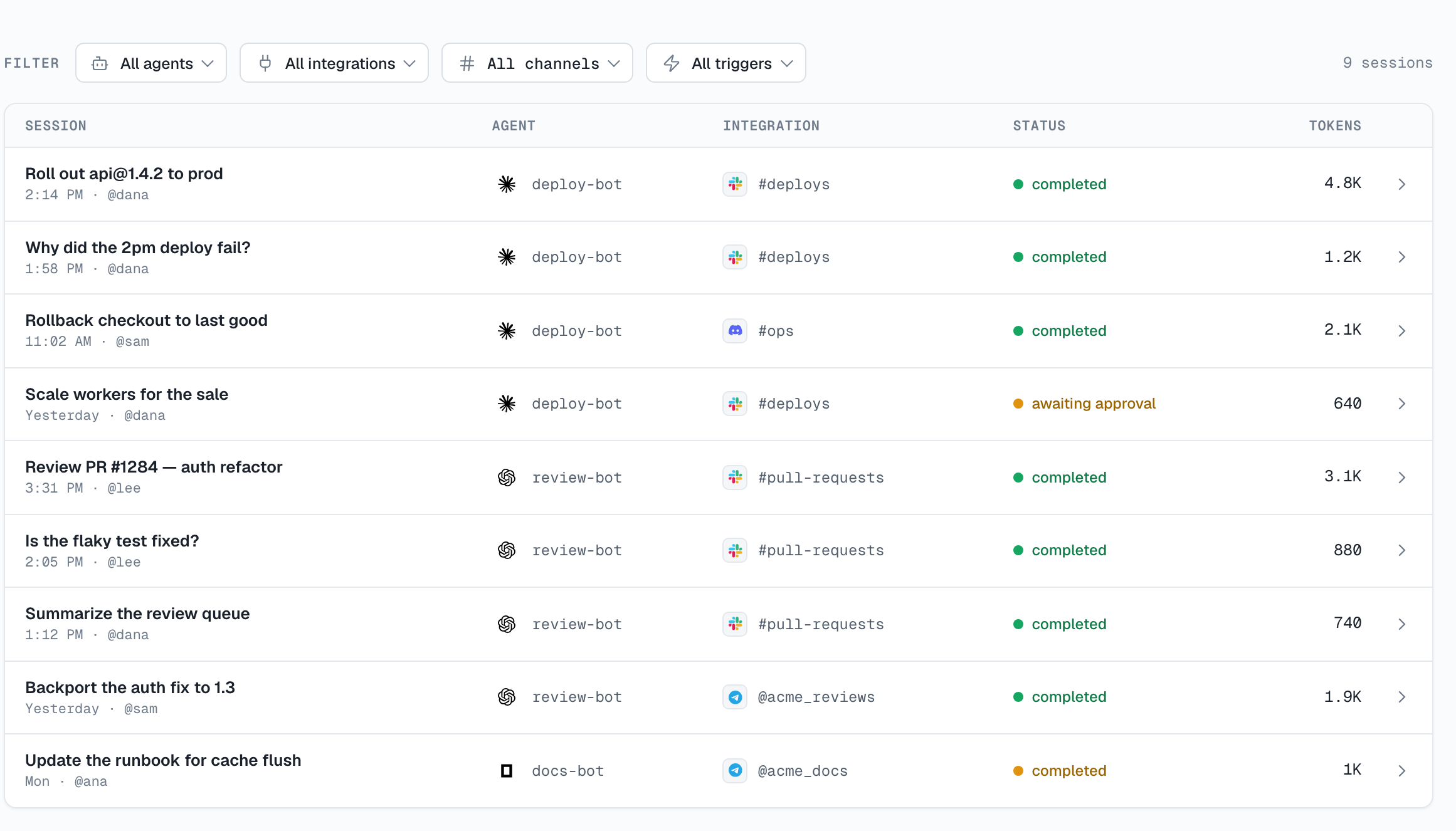
Find a session
Use the session list to find work by agent or source and follow scheduled runs back to the schedule that created them. When a readable session belongs to an Agent you cannot otherwise see, its Agent name remains available as a plain filter label rather than a link. When several agents participate in the same supported conversation, the list groups their sessions into one row.
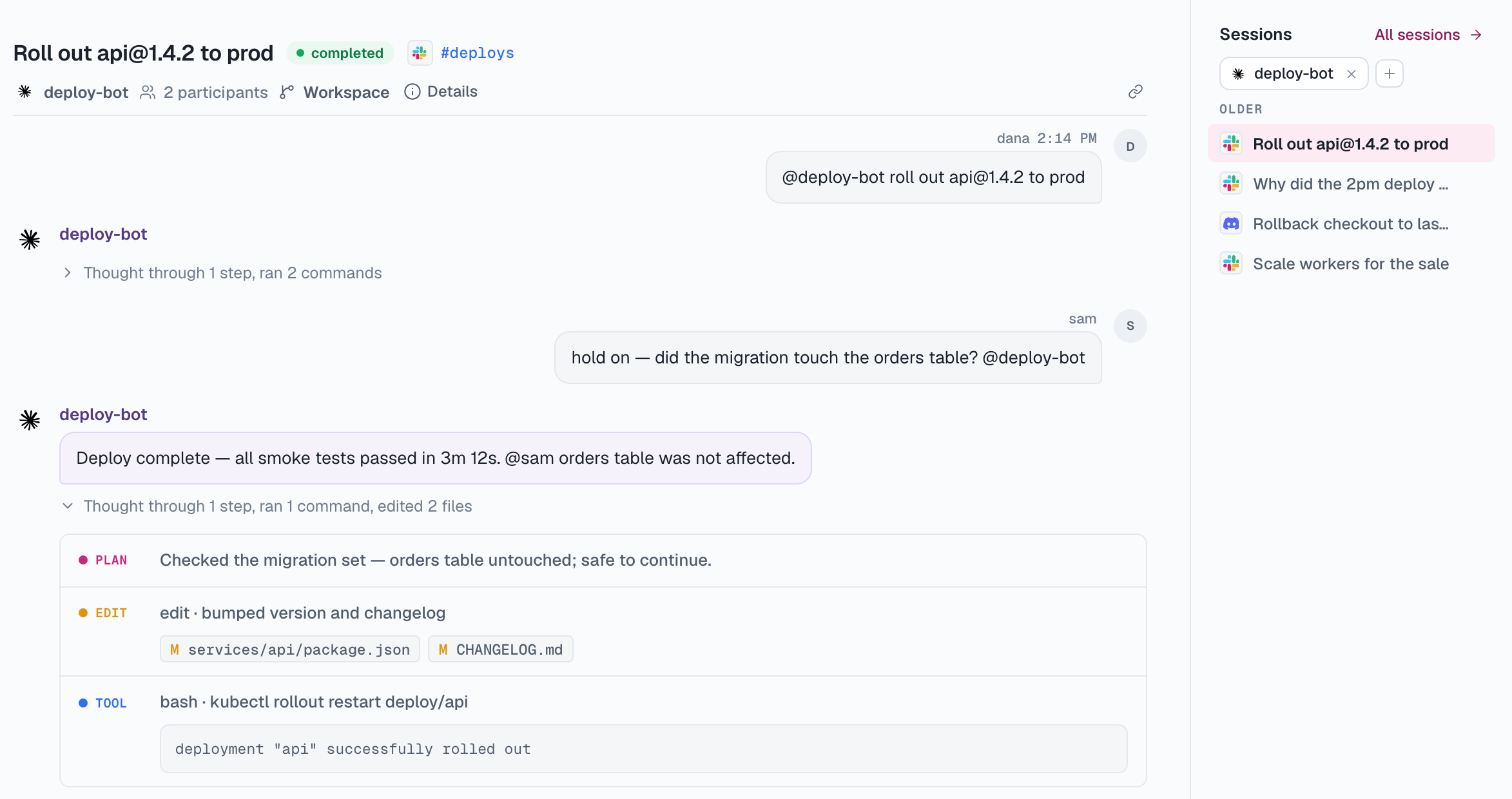
Review a run
Each session records its source, agent, participants, daemon, runtime and model, along with duration, token usage, cost when available, and tool activity. Where the provider supplies it, the session links back to the original conversation.
Sessions snapshot their execution config: the header reflects what the run actually used, even if you've reconfigured the agent since.
The transcript
The transcript separates messages, reasoning, plans, tool calls, and file edits. Tool activity includes the available input and output, with diffs for file changes, so you can understand how the agent reached its result.
When a run asks for permission
Depending on the agent's permission mode, a runtime can stop in the middle of a turn and ask before it acts. The turn parks until someone decides, and there are three places that decision can be made:
- In the console. Anyone who can edit the agent can decide, including an organization Owner outside its Selected list. Use the agent page, or the session page when its audience allows you to open it. The notification bell raises an unread Approval needed item pointing at the waiting session, and marks it resolved once the wait ends.
- In a Slack DM. When someone who may decide has linked their Slack account, the agent sends one of them the same card in a direct message, with links to the session and to the message that started the work. Deciding there is the same decision as deciding in the console, and the console records who made it.
- In the conversation. Only when the agent's Allow change in chat setting is on and the session lives in Slack. The card is posted where the work is happening, so anyone who can see the conversation can click it — which is why this one is opt-in.
By default the conversation gets a short notice that an approval is waiting and that an agent editor has to allow it. A Linear session posts the same pointer into the issue's activity feed, with a link into the console.
For Slack DM notifications, AgentConnect chooses one recipient. Within an eligible Slack workspace, it checks these candidates in order:
- The person who sent the message that triggered the turn.
- The session owner.
- For a Selected agent, its explicitly selected members in their saved order.
- The agent's creator.
Every candidate must be a current organization member who can edit the agent and has a linked Slack identity in that workspace. Owners qualify even when they are not selected, but being an Owner alone does not add them to the recipient list. An Owner receives the DM only when this order selects them.
AgentConnect rechecks edit permission and the linked Slack identity when the recipient clicks. If no eligible recipient can be resolved, the approval stays available in the console and the conversation keeps its waiting notice.
When several agents share a conversation
Each agent still runs in its own session with its own configuration and permissions. In a multi-agent Playground or supported IM conversation, the console presents those participant sessions as one conversation with attributed activity and combined current usage. This applies to Slack, Telegram, Discord, Lark, and Feishu conversations.
This grouping is a view over the sessions, not a new permission boundary. You see only the participant work allowed by each session's audience, including readable work from an Agent whose page is hidden from you. See Multi-agent work modes for ways to bring agents together.
Where transcripts live
The Control Plane stores session metadata such as title, status, timestamps, and token totals. Transcript messages and tool bodies remain on the daemon that ran the session.
When an authorized person opens a transcript, the console reads it from the owning daemon without persisting the body in the Control Plane. Metadata can remain visible while a daemon is offline, but its transcript cannot load until the daemon returns.
Retention and cleanup
Each daemon keeps finished session content for 7 days by default. When adding or editing a daemon, use Expire sessions to choose a common window, enter a custom number of days, or keep sessions indefinitely.
After the retention period, the daemon deletes the transcript, tool details and any Git worktree created for that session. Session metadata remains in the Control Plane, so the session stays in the list and clearly shows that its content was deleted by the retention policy.
Active sessions are not removed. AgentConnect also keeps a session worktree when it contains uncommitted work or commits that have not reached a remote.
Session audience
For a directly managed session, the header shows Everyone / Private when its matched owner may change the audience. A provider-bound session can instead follow Slack members, Feishu / Lark members, or GitHub members after the organization enables the corresponding setting under Settings → Session access. Making a session private hides the transcript immediately and can also change future memory capture; review Session visibility before tightening it.
Cross-platform handoffs stay separate
Conversation grouping does not merge different platforms or threads. A cross-platform handoff keeps one session on the source platform and starts a linked session on the destination. Replies stay where they were written unless the agent deliberately carries a result back.
See Hand off conversations between trusted workspaces for a Telegram-to-Slack example and a reusable agent instruction.
Agent-to-agent handoffs
Delegated work runs in a linked child session and inherits the parent session's audience. If you can read that audience, you can open the child session even when you cannot open the target Agent. The Agent name is shown only as non-clickable session context, and no Agent configuration or workspace access is added.
Live sessions
Running sessions update in place, and the session page offers a composer for the ones you may continue:
- Playground and webchat sessions are continued in the browser, as they always were.
- A chat-platform session — a Slack thread, a Telegram or Discord chat, a Lark / Feishu conversation — takes your message from the console and mirrors it into the original thread first, so the people there see what changed the agent's context. The agent's reply follows that session's own output mode.
- A session started by a GitHub, GitLab, webhook or schedule event is continued console-only. Nothing is posted to the pull request, the issue, or the event's origin.
Continuing is a write, so a Viewer never can, and a private session stays with the person who owns it. Beyond that it follows the session's audience, and it needs the owning agent to be visible to you and its daemon to be online. When one of those is missing, the composer explains itself instead of appearing.
Updated 2 days ago