

🌉 Cross-platform handoffs
Move work between two messaging workspaces you trust, while keeping each platform's session and audience boundaries explicit.
Use this pattern only when the source and destination are two messaging workspaces you trust. You should control or explicitly approve both environments, know who can read the destination, and accept its security and retention rules.
Trust boundary: Connecting an agent to two platforms gives it the ability to move content between them. It does not make an external customer, partner, or community workspace trusted. If either side is not approved for the information, use a one-time, reviewed, and redacted message instead.
Here, workspace means a Slack workspace, Discord server, Lark / Feishu tenant, or known Telegram group or chat — not the agent's code workspace.
One agent can start with a conversation on one platform, post a focused handoff to another trusted workspace, and later report the result back. This is not a live mirror: each platform keeps its own thread, session, and audience.
Before you start
You need:
- one online agent connected to both messaging platforms;
- two workspaces approved to exchange the relevant information;
- a bot that can post in the destination conversation; and
- a clear rule for what may leave the source.
The same agent owns both sides. When two different agents divide the work, use agent-to-agent delegation instead.
1. Connect both platforms
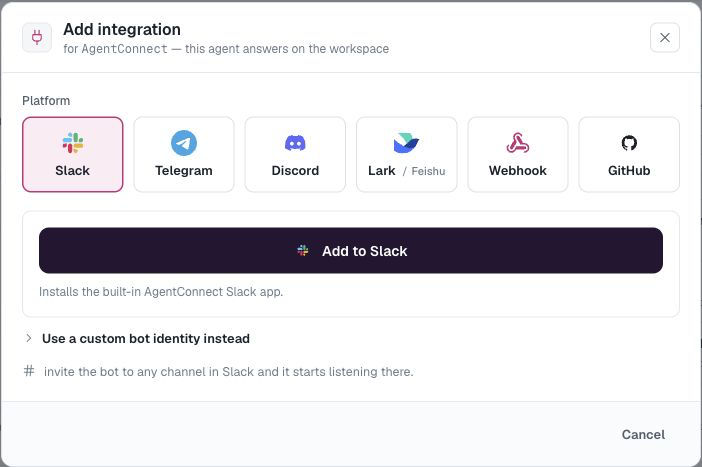
Open the agent and add each chat integration under Integrations. Invite or add the destination bot only to the channels or chats it should reach.
Before the first handoff, verify the destination workspace, server, or tenant under Settings → Bots. A familiar channel name is not enough: two workspaces can both contain #incidents.
2. Confirm the destination
Ask the agent to list the destinations it can reach before sending anything:
List the incident channels you can reach through our approved internal bots.
Do not send a message yet.
Telegram bots can list only chats the agent has already observed, so start the bot in the destination chat first. On every platform, the bot still needs permission to view and post there.
3. Start a focused handoff
State the trusted destination and exactly what may be shared:
Hand this incident off to our approved Slack #incidents channel.

- Post a new top-level message.
- Include the symptoms, what I already tried, and the open question.
- Do not copy names, credentials, or unrelated messages from this DM.
- Ask the team for a decision.
- When they reply, send a concise result back here.
A new top-level destination message creates a linked destination session. Human replies continue there, and the agent can report the requested result back to the source. Posting into an unrelated existing thread does not create the same clear handoff boundary.
4. Make the rule reusable
If handoffs are routine, add a short policy to the agent's Description:
When moving work between messaging platforms:
1. Use only approved workspaces.
2. Stop and ask if the destination cannot be verified.
3. Share a concise handoff, not the full source transcript.
4. Never copy secrets or private-message details without approval.
5. Keep the source and destination as separate conversations.
6. Report only the requested result back to the source.
What stays separate
- Trust: the bot's reach does not make every workspace or participant approved.
- Sessions: source and destination remain separate, linked sessions.
- Access: each platform enforces its own bot and conversation permissions.
- Threads: replies remain where they were written unless the agent deliberately reports back.
- Identity: an account on one platform is not assumed to be the same person on another.
Good handoffs move an internal incident between trusted team workspaces, escalate a DM into a team channel, or publish an approved summary. Avoid routine handoffs across different trust levels and avoid automatic two-way mirroring, which creates duplicate messages, unclear ownership, and disclosure risk.
See Integrations overview to connect platforms and Sessions to inspect each side.
Updated about 2 months ago