

📐 Linear
Delegate an issue to the app and an agent picks it up — acknowledging, working, and answering inside Linear's own agent session.
A Linear integration makes your agents delegatable teammates inside Linear. Assign an issue to the app, or mention it in a comment with instructions, and the agent acknowledges within seconds, works in its own workspace, and streams its progress into Linear's agent session feed — thoughts, tool actions, and a plan checklist — before posting the answer as the session response. Reply in that session thread to steer it, or use Linear's Stop control to interrupt it.
The connection is one workspace at a time, and every agent you enable on it works through the same Linear app. Which agent takes a piece of work is decided per team.
Before you connect
Linear delivers over HTTP callbacks, so the deployment needs a public callback endpoint, and one Linear OAuth application registered for the whole deployment. AgentConnect Cloud has both already. On AgentConnect OSS, an operator registers the deployment's Linear application first; until then the Linear pane says Linear is not set up on this deployment.
Connect a workspace
On the agent: Integrations → Add integration → Linear.
There is nothing to fill in. Choose Connect Linear, approve the workspace in the Linear tab that opens, and the connection lands back in the console. The agent you started from becomes each team's dispatch default — the agent a bare delegation reaches.
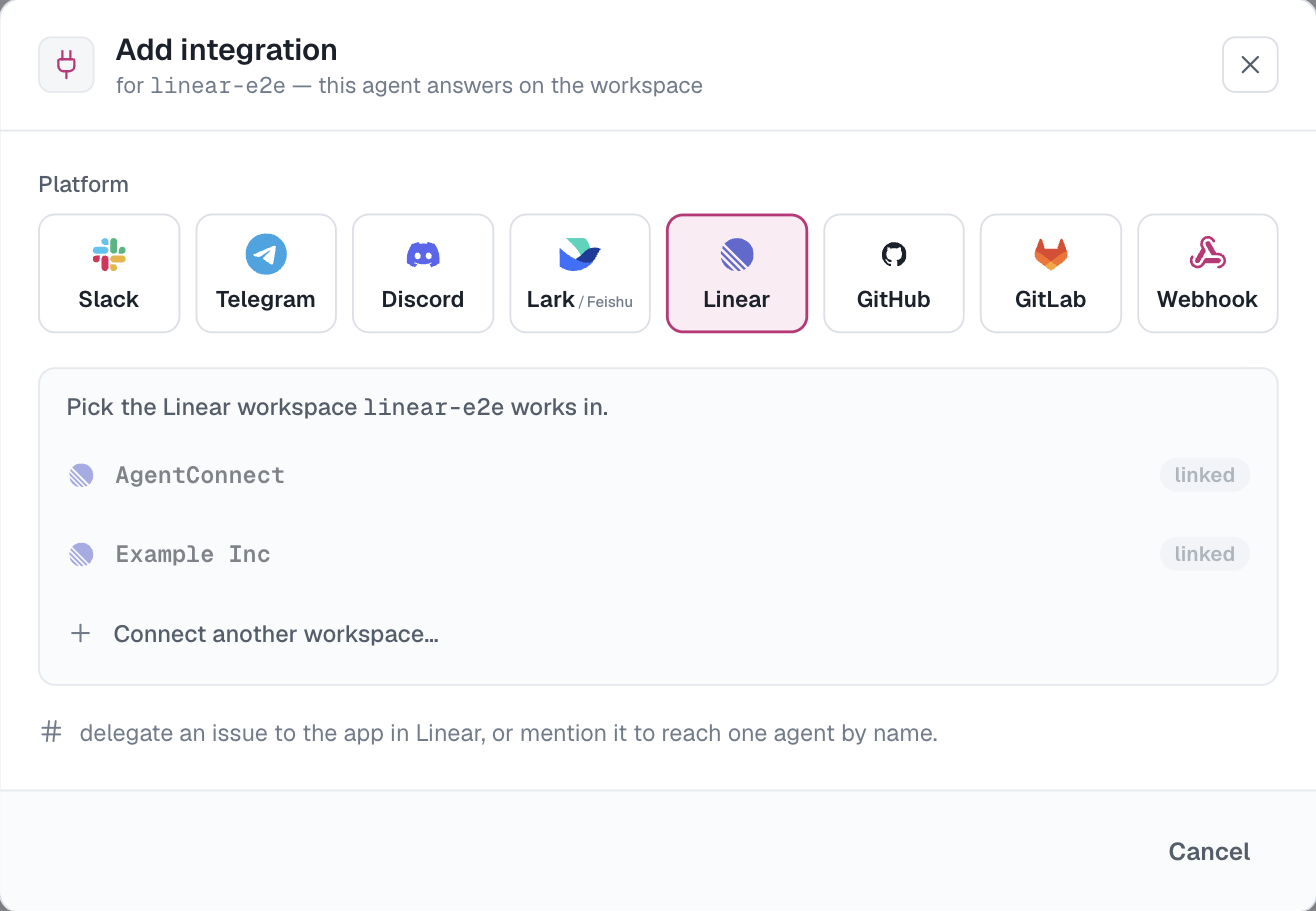
The authorization asks for read and write access, permission to be assigned and mentioned as an app, and initiative access. If you connected a workspace before initiative support existed, everything else keeps working and only the three initiative tools ask you to reconnect.
To put a second agent on the same workspace, open that agent's Add integration → Linear and pick the connected workspace from the list. To connect a different workspace, use Connect another workspace… in the same pane.
Teams are the channels
A connected workspace lists one row per Linear team on the agent's Linear card. Each row carries the two controls a channel has anywhere in AgentConnect:
- the dispatch default — the agent a bare delegation in that team starts; and
- a trigger — Mention or Off.
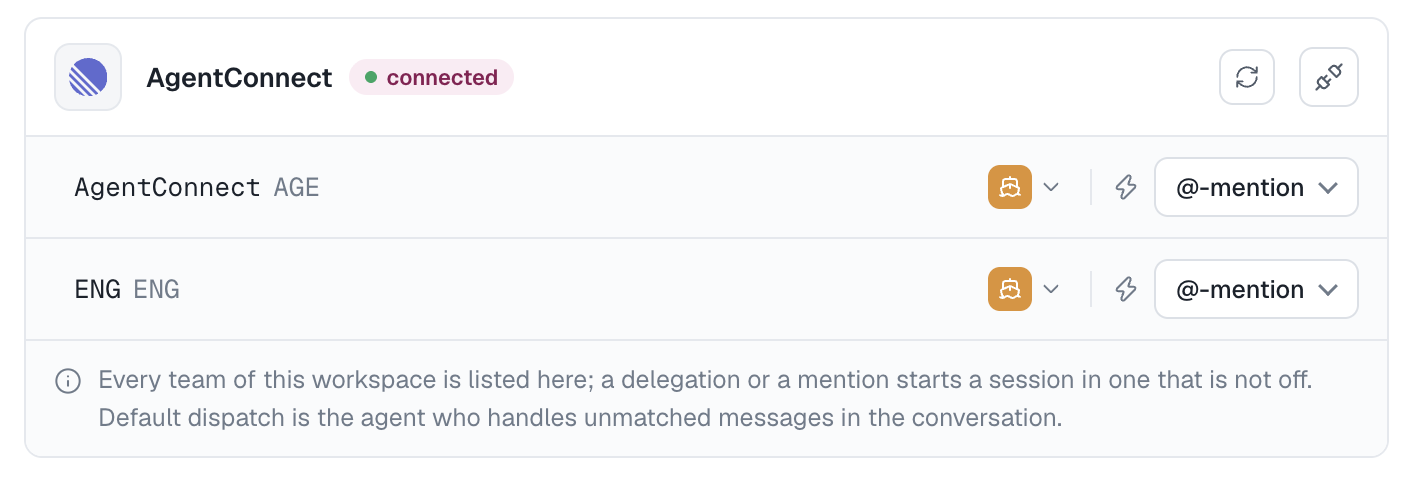
There is no "any message" setting: every Linear event is addressed to the app already, so a team either takes delegations and mentions or it is off. Turning a team Off mutes it for every agent on the workspace; unlinking an agent from the workspace is how that one agent stops answering anywhere in it.
A team's name links to the team in Linear, with its key beside it. Moving a team's default is that row's selector; when the current default is a restricted agent, the console warns you first — being the default is what lets it act there. A team whose linking agent is restricted starts Off until someone enables it.
Start work on an issue
- Delegate the issue to the app. The issue's team dispatch default takes it. A Linear automation that delegates lands here too.
- Mention the app with instructions. Write
@<agent name>anywhere in the instruction to reach one agent by name; without a name, the team default takes it again. Naming several agents selects the first — the acknowledgement says which agent took the turn.
Each delegation or mention creates one Linear agent session bound to one agent. Follow-ups and Stop stay with that agent; addressing a different one means a new mention, which opens its own session.
What the agent does in the issue
- Acknowledges in under ten seconds, opening with its own name, even when it is queued behind work it is already doing.
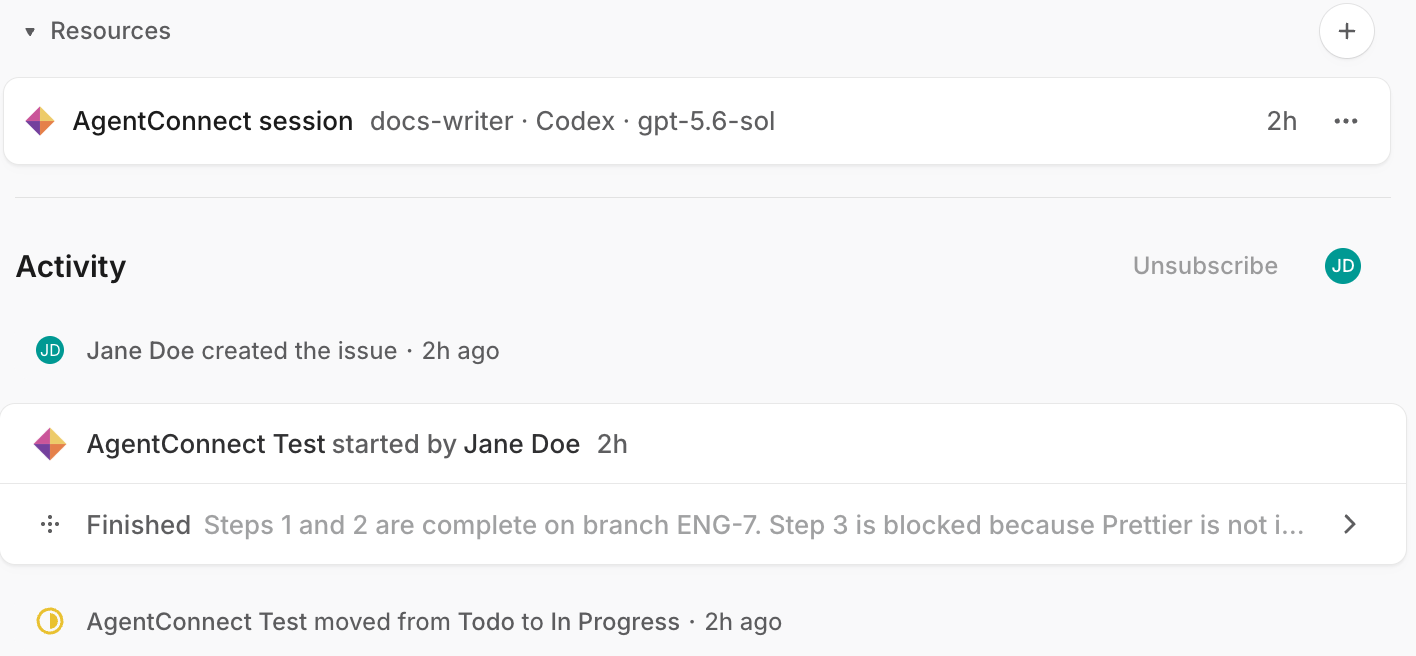
- Moves the issue into a started status. On the opening delegation, an issue that is not already started, completed or canceled moves to the team's first started state. Triage statuses are left alone, so Linear-side automation keeps human triage, and a team with no started state is skipped. Follow-ups never touch the state you left it in.
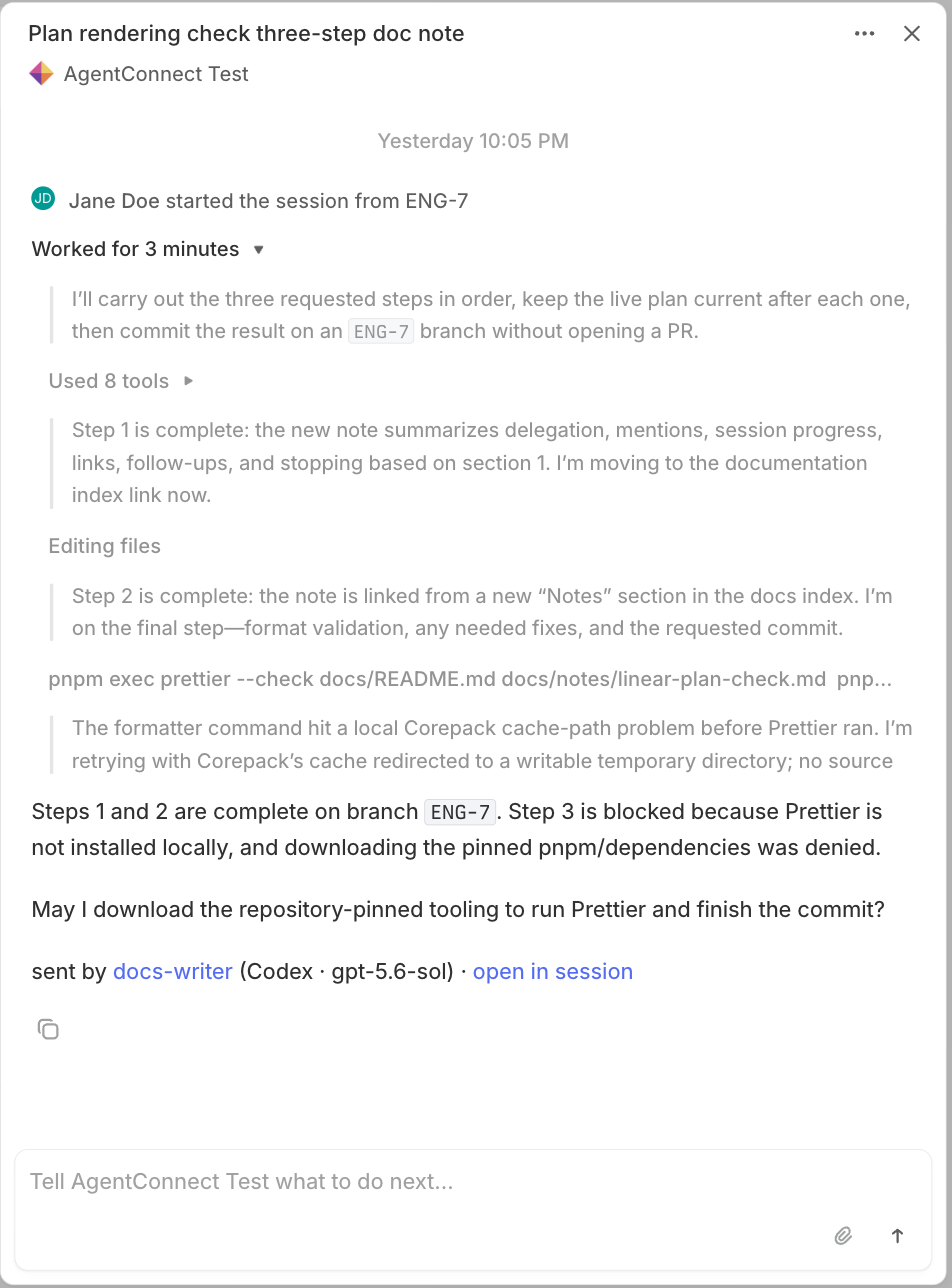
- Streams progress as thoughts and tool actions, and keeps its todo list in sync with Linear's plan checklist.
- Attaches links. Pull and merge requests it opens are attached to the agent session, and the AgentConnect session appears in the issue's Resources from the first turn.
- Answers with the final response, carrying the agent's attribution footer when its output settings include one.
- Stops on request: the run is interrupted and the session settles with a note telling you to reply to continue.
The full transcript is always in Sessions, whatever reaches Linear.
How much reaches the feed
The agent's Output mode decides what is posted:
| Output mode | Acknowledgement | Progress | Tool actions | Plan | Answer |
|---|---|---|---|---|---|
| None | — | — | — | — | — |
| Minimal | ✓ | — | — | — | ✓ |
| Low (default) | ✓ | ✓ | ✓ | ✓ | ✓ |
| Medium | ✓ | ✓ + reasoning | ✓ | ✓ | ✓ |
| High | ✓ | ✓ + reasoning | ✓ + results | ✓ | ✓ |
Low already includes actions and the plan here, because progress visibility is what a Linear agent session is for. None is genuinely silent — nothing reaches Linear at all, and the session sits there unanswered — so the console flags it as a misconfiguration on an agent with a Linear integration.
What the agent can do in Linear
An agent working in a Linear session gets a Linear tool family on the same app authorization: reading and searching issues, comments, statuses, labels, teams, users, projects, cycles, documents and initiatives, and writing issues, comments and initiative updates. updateIssue takes a state, assignee or label by name and resolves it against the team, so "move it to In Progress" needs no lookup first.
These tools exist only in Linear sessions. The same agent working in Slack or on a pull request does not carry them.
The agent also receives the issue's identifier, title, URL and team as standing context, plus a short working convention: work the ticket as written and ask only when it cannot proceed; comment with the outcome rather than the plan, which is already live in the session; and name the branch and pull request after the issue identifier, so Linear's own code-host integration links them back. Guidance a workspace admin writes in Linear for the app is passed along with each turn.
The issue description and earlier comments are given to the agent as quoted context rather than as instructions — they often carry text written outside your workspace. Files and images attached in Linear are not read.
Approvals
When a step needs permission the agent cannot grant itself, the feed gets a card naming the action and a link into the console session, and a note follows once you approve or deny it there. Approving from inside Linear is not supported yet.
Manage the connection
| Action | Where | Effect |
|---|---|---|
| Unlink an agent | The agent's Linear card | That agent leaves the workspace. The workspace and every other agent stay. |
| Reconnect | The agent's card, or Settings → Bots | Re-authorizes the workspace after a grant expires or is revoked. |
| Disconnect | Settings → Bots only | Ends the workspace for the whole organization and revokes the authorization at Linear. |
Disconnect is deliberately not offered beside a single agent's membership: it would let one member end everyone else's access.
If someone revokes AgentConnect from Linear Settings → Applications, the workspace shows a revoked badge shortly afterwards — Linear takes a minute or two to report it — and the agents report that authentication is required. Reconnect repairs it and restores the memberships.
Limits
- Configuration is per team — there is no per-issue or per-project setting.
- Mentioning the app on a document or another non-issue surface is answered with a short note saying that surface is not supported yet; no agent run starts.
- Linear names its own agent sessions from the issue; AgentConnect session titles stay in the console.
Updated 12 days ago