

🧠 Mem0 external memory
Connect an agent to self-hosted Mem0, choose recall and capture policies, and verify memory across sessions.
External memory lets an agent recall and save durable records in a memory service that you operate. This guide uses Mem0 OSS with AgentConnect's first-party Mem0 wrapper.
Before you start
The deployment operator must first complete the optional Mem0 configuration. You then need:
- an organization Owner;
- an online daemon that can reach Mem0; and
- the Mem0 API key created during deployment.
1. Create the organization connection
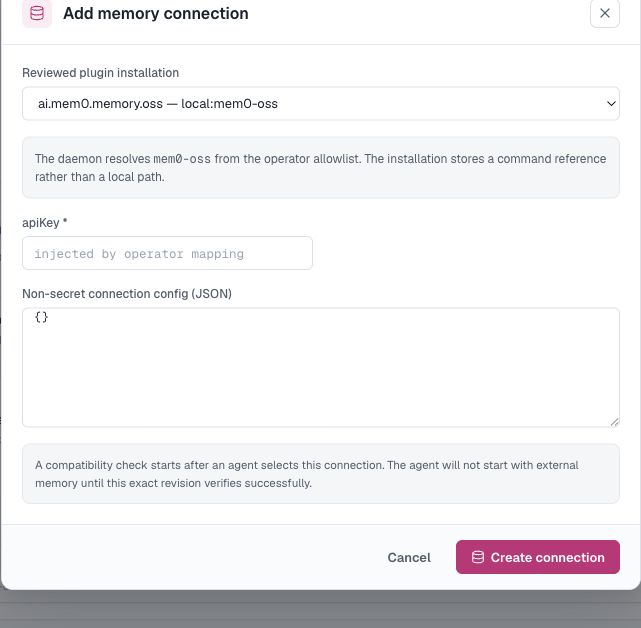
Open Knowledge → External memory → Add connection.
Choose the reviewed ai.mem0.memory.oss — local:mem0-oss installation, enter the requested credential and any non-secret JSON configuration, then select Create connection. If the reviewed installation is missing, ask the deployment operator to finish the Mem0 setup first.
The credential is write-only after saving.
2. Bind an agent
Open the agent's Memory tab, choose External, and select the connection.
Choose recall and capture independently:
- Recall → Every turn searches Mem0 before each turn.
- Recall → Tool only lets the agent search only when needed.
- Capture → Manual only saves only content explicitly selected for memory.
- Capture → Every turn sends each delivered exchange to Mem0 after you confirm the data boundary.
Start with Every turn recall and Manual only capture unless the agent's workflow needs automatic capture.
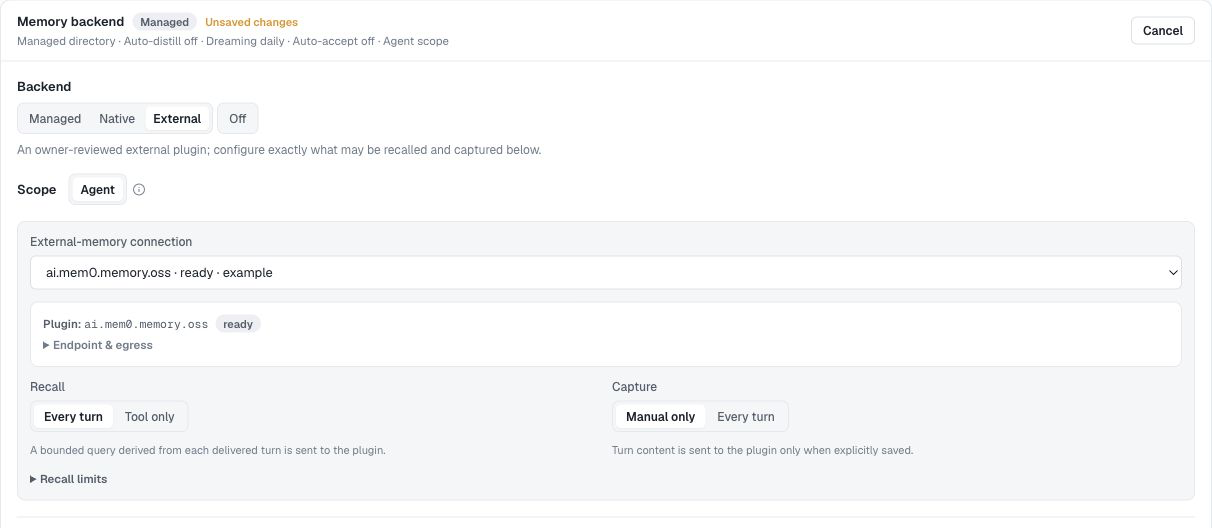
Save the settings and wait for the connection to become Ready before starting the agent with external memory.
3. Test recall across sessions
For a quick end-to-end test, temporarily use Capture → Every turn:
- Start a Playground conversation and say:
Remember that production deploys require a change ticket and two reviewers. - Open the agent's Memory tab and find the new record.
- Start a new Playground conversation with the same agent and ask:
What do I need before a production deploy?
With Recall → Every turn, the new session should use the stored record. Memory is scoped to the agent, so another agent does not receive it automatically.
Connection status
| Status | What it means |
|---|---|
| Connecting | Waiting for a compatible online daemon |
| Invalid | Review the connection error and deployment setup |
| Degraded | A previously working connection is temporarily unavailable |
| Ready | The agent can recall and capture memory |
Editing a connection checks it again. Unbind every agent before deleting the connection; deleting it from AgentConnect does not delete records in Mem0.
Updated about 2 months ago