

📚 Knowledge
Publish reviewed team context, review shared suggestions, and manage external memory connections.
Knowledge gives your agent team a reviewed, shared source of truth without copying the whole library into every prompt. Use it for durable runbooks, architecture decisions, product facts, and team practices. The same page also hosts organization-wide external memory connections in a separate card; each agent still chooses its own memory backend and policy.
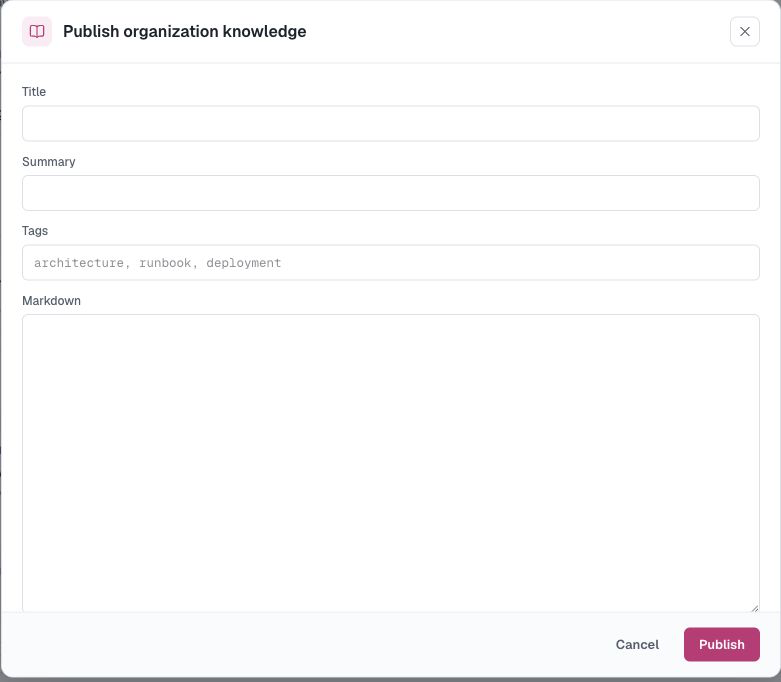
Open Knowledge in the console. Its two tabs separate published content from the proposal queue:
- Organization contains published, revisioned Markdown that agents can search.
- Suggestions is where organization Owners review Knowledge and managed-skill candidates proposed by Dreaming.
The External memory card appears below the tab content and contains approved memory services and account connections that agents may use.
All organization members can read published Knowledge and see configured connection metadata. Only Owners can publish or revise entries, archive or restore them, review suggestions, and manage external memory connections.
Publish Knowledge
- Open Knowledge → Organization.
- Choose Publish knowledge and add the title, Markdown content, and optional summary and tags.
- Publish the entry.
Editing an entry publishes a new immutable revision instead of overwriting its history. Archive an entry when agents should stop finding it; archived content can be inspected or restored later.
Review Dream suggestions
Dreaming can turn recurring patterns from an agent's recent work into a proposed Knowledge entry or managed skill. A proposal never publishes itself:
- Open Knowledge → Suggestions as an organization Owner.
- Inspect the proposed Markdown or complete skill file tree and its source sessions.
- Accept it to create an approved immutable revision, or Reject it and keep the decision in review history.
If the source daemon is offline, a suggestion can remain listed while its content is temporarily unavailable. Once accepted, the published Knowledge or managed skill becomes available to the organization.
An accepted Knowledge suggestion appears in the Knowledge library. An accepted managed skill appears in Tools & Skills → Skills library and still must be enabled explicitly for each agent.
Manage external memory connections
Open Knowledge → External memory to register and manage approved memory services for the organization. An Owner chooses a reviewed plugin installation, supplies the required credentials and configuration, and creates the connection. Secret values are write-only after saving.
Creating a connection does not change any agent automatically. Open an agent's Memory tab, choose External, select the connection, and configure its recall and capture policies. The connection supplies the trusted service and credentials; the agent binding supplies the agent-scoped identity and policy.
Follow the guide to using Mem0 OSS as external memory for a complete deployment, connection, binding, and recall test.
How agents use Knowledge
Agents search published Knowledge by text and tags when a task calls for shared context. AgentConnect does not inject the full library into every session, and agents cannot publish or approve entries themselves.
Dreaming
Dreaming is configured with Managed memory. Open an agent's Memory tab to run a Dream, change its schedule, review completed memory results, or optionally mine reusable skills from repeated procedures. Organization Owners still review every shared Knowledge or managed-skill proposal under Knowledge → Suggestions.
Updated about 2 months ago