

🤝 Multi-agent work modes
Choose how a team of specialized agents divides responsibilities, delegates work, reviews in layers, and shares routing when needed.
AgentConnect is designed for teams of specialized agents. For most teams, the best starting point is several focused agents, each connected to its own bot or integration. Bring several into one conversation when people want to work with them together, and add agent-to-agent delegation when one agent should coordinate the work.

Layered specialists are a common next step, especially for pull-request review. Trigger fan-out and shared-bot routing are useful when a workflow specifically needs parallel opinions or one consolidated platform identity.
| Starting point | Work mode | Agents run | Typical use |
|---|---|---|---|
| Default | Specialized agents | One addressed agent | A role-based agent team |
| Direct collaboration | Shared conversation | Several together | Compare or collaborate live |
| Core collaboration | Agent delegation | Parent and workers | Coordinated subtasks |
| Common workflow | Layered specialists | One per request | Fast and deep PR review |
| Parallel analysis | Trigger fan-out | Several independently | Independent reviews |
| Advanced routing | Shared bot routing | One routed agent | One bot across channels |
The identity that appears on a chat platform or GitHub does not decide which resources an agent can access. Each agent keeps its own configuration and permission boundaries in every mode.
Specialized agents
Start here. Create separate agents for distinct responsibilities, such as implementation, security review, support, and release operations. A person, schedule, webhook, or integration trigger addresses the appropriate agent directly.
flowchart LR
  Team["Team"] --> CodingBot["Coding bot"] --> Coding["Coding agent"]
  Team --> ReviewBot["Review bot"] --> Review["Review agent"]
  Team --> SupportBot["Support bot"] --> Support["Support agent"]
Each path keeps its own integration identity, agent configuration, and session. The agents work independently until a workflow deliberately connects them.
Use this mode when the roles serve different teams or workflows and their outputs do not need to be combined. Start with Create an agent, then give each one a focused persona and environment under Configure an agent.
Shared conversation
Use this for direct collaboration. Bring several agents into the same Playground or IM conversation and watch their work together. Supported chat platforms are Slack, Telegram, Discord, and Lark / Feishu.
flowchart LR
  Person["People"] --> Conversation["Playground or IM conversation"]
  Conversation --> Coding["Coding agent"]
  Conversation --> Review["Review agent"]
  Coding --> Conversation
  Review --> Conversation
A Playground message without an explicit mention reaches every participant; @AgentName narrows a turn to the named agents. In a chat platform, address agents through their bot identities and normal conversation trigger rules. Every agent keeps its own configuration and session while the console presents the participant work as one conversation.
Use this mode when people want agents to compare approaches or contribute different specialties in real time. For an agent coordinating other agents, use delegation below. See Playground and Sessions for the conversation behavior.
Agent-to-agent delegation
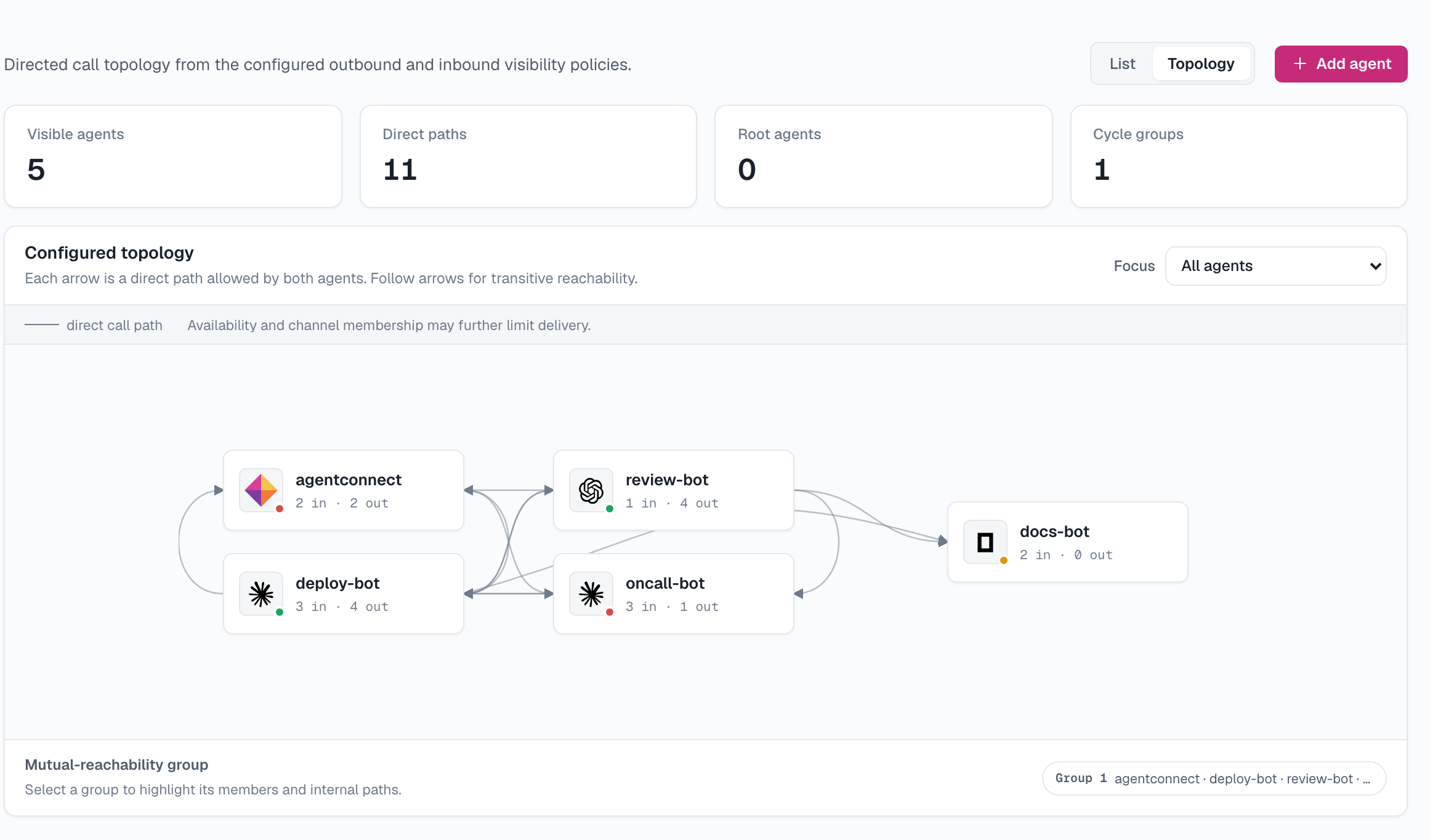
Use this for collaboration. One agent can assign bounded work to one or more policy-approved peers. A coordinator might ask separate agents to inspect security, tests, and migrations in parallel, collect their results, and return one summary to the team.
sequenceDiagram
  participant Team
  participant Coordinator
  participant Security
  participant Tests
  Team->>Coordinator: Review this change
  par Delegate bounded work
    Coordinator->>Security: Check security risks
    Security-->>Coordinator: Findings
  and
    Coordinator->>Tests: Check test coverage
    Tests-->>Coordinator: Findings
  end
  Coordinator-->>Team: Combined answer
Every worker runs with its own agent configuration in a separate session and reports the requested result to the coordinator. The coordinator can combine those results or continue the workflow. A delegation can stay direct between agents or include a deliberate channel or thread post so the team sees the handoff.
The permission boundary is directional:
- The caller's outbound policy must allow the worker.
- The worker's inbound policy must allow the caller.
- Both agents must belong to the same organization.
Platform membership is not agent-call authorization: being in the same channel neither grants nor blocks an agent-to-agent call, which is decided only by the two policies above.
The delegated child session inherits the parent session's audience. A member who can read that audience can follow the child even when the worker Agent is outside their Team visibility. This exposes only the child session and a plain Agent-name label; it does not expose the worker's Agent page, configuration, workspace, or controls.
A visible mention of another agent's bot in a chat conversation can also bring that peer into the thread. Normal conversation triggers still apply, while the agent visibility policies decide whether direct delegation is allowed.
Use this mode when one agent should own the plan and another should contribute a specific result. See Agent visibility for the call policy and Sessions for transcript and audience boundaries.
Layered or on-demand specialists
Use this common pattern for PR review. Give routine work to a fast agent and run a stronger specialist only when the task warrants it. Each request still selects one reviewer; the layers differ in cadence and depth rather than sharing one session.
flowchart LR
  Revision["PR revision"] --> Quick["Fast reviewer"] --> Brief["Brief baseline review"]
  Mention["Maintainer mention"] --> Deep["Deep reviewer"] --> Detailed["Detailed review on demand"]
A supported example is pull-request review: a fast reviewer can cover every revision, while a deep reviewer runs only when an authorized maintainer mentions its AgentConnect name. Both can use the same GitHub App, but they retain separate models, instructions, sessions, and review output. Mentioning the App itself is the broadcast form and can run all matching reviewers.
Use this mode when broad automatic coverage matters but expensive analysis should stay deliberate. Follow Fast PR reviews with deep review on demand.
Parallel review or trigger fan-out
Use this when you want independent opinions. A supported integration can intentionally dispatch the same event to several agents. Each agent handles it independently in its own session; sharing a GitHub App does not merge their reasoning, permissions, or results.
flowchart LR
  Event["Supported GitHub event"] --> Match{"Matching review triggers"}
  Match --> Security["Security reviewer"] --> SecurityReview["Independent review"]
  Match --> Performance["Performance reviewer"] --> PerformanceReview["Independent review"]
GitHub review is the current example. An App-level mention can run every matching reviewer for the repository, while an agent-name mention targets one reviewer. Each review remains attributed to its AgentConnect agent even though GitHub shows the shared App as the actor.
Fan-out must be explicit in the integration and trigger configuration. Connecting several agents to the same repository or channel does not make every event a broadcast.
Use this mode when independent perspectives are more useful than a single coordinated answer. For a combined result, use delegation instead.
Shared bot with contextual routing
Use this as an advanced routing option. Several agents can share one platform bot identity while channel and thread routing selects the agent for each inbound message. One message runs one agent; this is routing, not broadcast collaboration.
flowchart LR
  Engineering["Message in #engineering"] --> Bot["One Slack bot"]
  SecurityMessage["Message in #security"] --> Bot
  Bot --> Route{"Select one route"}
  Route --> Coding["Coding agent"]
  Route --> Security["Security agent"]
For example, one Slack App can route #engineering to a coding agent and #security to a review agent. Replies still appear from the shared Slack bot, but each AgentConnect agent keeps its own session, runtime, model, workspace, memory, tools, and permissions.
Use this mode only when people should remember one bot identity but different conversations need specialized behavior. For most teams, a separate bot for each agent is easier to understand and operate. Follow One Slack app with different agents by channel.
Cross-platform handoff is different
A single agent connected to Slack, Telegram, Discord, or Lark / Feishu can move a task between two messaging workspaces you trust. That is a cross-platform handoff, not multi-agent collaboration: the same agent owns both sides, and the source and destination remain separate linked sessions.
Follow Hand off conversations between trusted workspaces before moving information across platform boundaries.
Keep the permission layers separate
Combining work modes never combines their trust boundaries:
- Platform access controls which repositories, workspaces, channels, and people a bot or App can reach.
- Team visibility controls which people can find and manage an AgentConnect resource.
- Agent visibility controls which agents may call one another.
- Session visibility controls who may read a run and its transcript.
- Runtime permissions and sandboxing control what the running process may do.
See Permissions for the complete model. A common composition is contextual routing to select a specialist, followed by explicit delegation when that specialist needs another agent's help.
Updated about 2 months ago