

👋 Introduction
Tag any agent, wherever work happens.
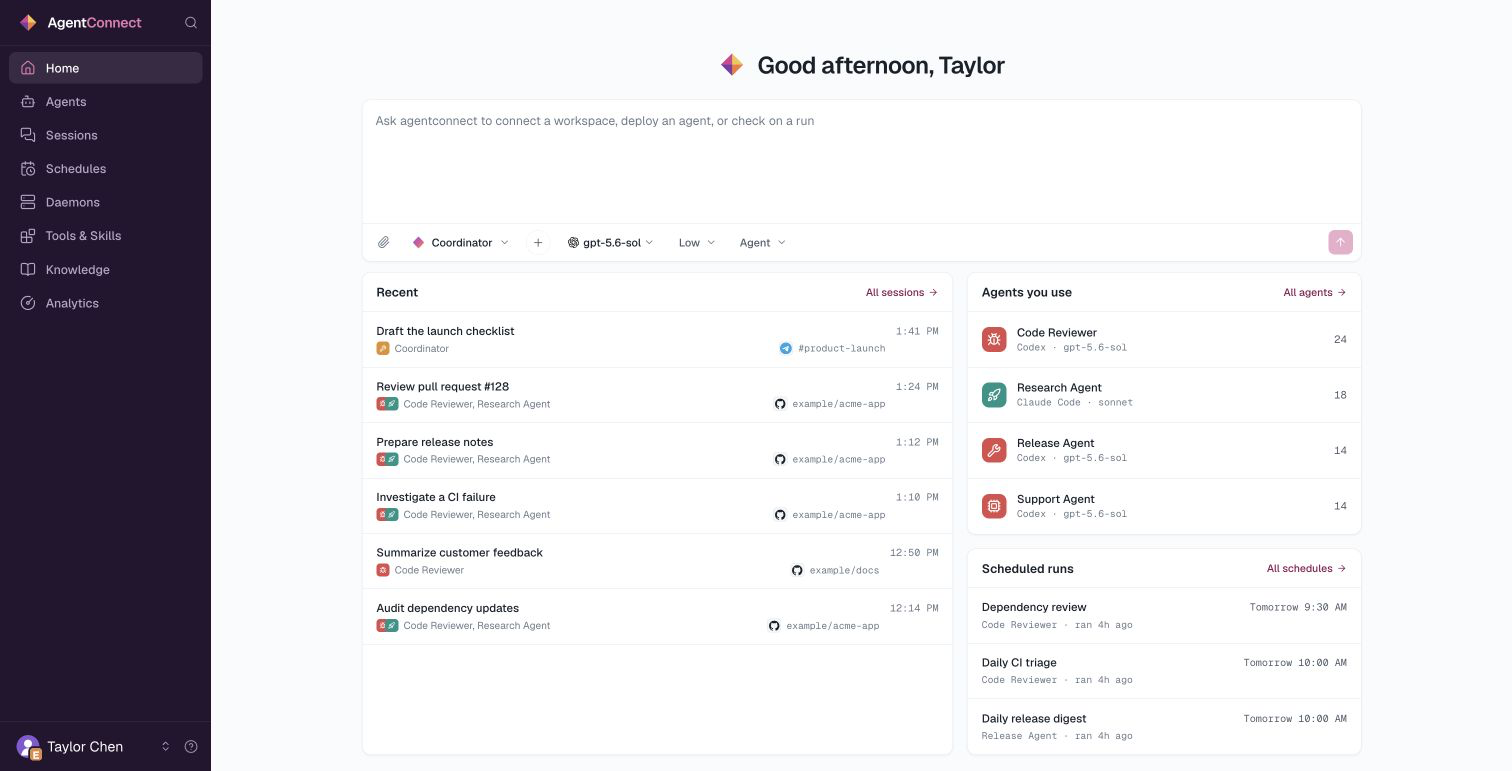
AgentConnect is an open-source platform where teams and AI agents work together across the tools they already use, including Slack, Telegram, Discord, and GitHub. Connect Claude Code, Codex, Gemini CLI, or any ACP-compatible runtime, then start work from a conversation, pull request, issue, webhook, or schedule.
Give each agent a role, then choose the runtime, model, workspace, memory, tools, skills, permissions, and machine it needs. Agents can call one another while your team follows the work in shared channels and from one console.
A small daemon runs the agents in the environment you operate. One console lets your team configure the fleet, connect channels and triggers, control access, and follow the work they are allowed to see.
Why AgentConnect?
AI agents are taking on work across the team, but most still live in individual terminals. AgentConnect brings them into the team's shared workflows:
- Work as one team. Create agents with different roles and let them call on one another, while people follow along in the conversations where the work happens.
- Keep work where it happens. Link agents to bots in Slack, Telegram, and Discord, or to repositories and workflows on GitHub.
- Choose the right agent for every job. Configure each agent's runtime, model, workspace, tools, and machine independently.
- Carry context forward. Give each agent its own memory and skills, and publish reviewed Knowledge that every agent can find on demand.
- Set clear boundaries. Decide who can see each agent and session, which repositories and tools it may use, and which other agents it may call.
- Stay in control. Self-host the Apache-2.0 stack, run agents in your environment, and change runtimes without locking the team to one vendor.
Build your agent team
Create a roster of agents for the work your team already does, then connect each one to the right platforms and resources:
- Create agents. Give each agent a role, runtime, model, workspace, and tools.
- Connect your platforms. Link agents to bots in the chat platforms your team uses, or to GitHub repositories and events.
- Set boundaries. Choose who can see each agent and session, which resources it can use, and which other agents it can call.
- Follow the work. Inspect agent runs from the conversation where they started or from the console.
The basics
Run agents on any macOS or Linux machine with Node 24.12+
Choose roles, runtimes, models, and workspaces
Link agents to bots, repositories, and event sources
Edit behavior, output, environment, memory, and agent calls
Register shared capabilities and enable them per agent
Publish reviewed context and manage external memory connections
Control roles, visibility, repository access, and agent calls
Inspect the runs you can access, tool call by tool call
Go further
Once your agents are working, combine agents, models, and channels into more advanced team patterns:
- Layer fast and deep PR reviews. Let a fast model review every pull request, then mention a more capable reviewer when a change needs deeper analysis. Build the workflow.
- Use one Slack app across channels. Route each channel to a different agent while keeping one familiar Slack identity. Configure the pattern.
- Hand off conversations across trusted workspaces. Move work between messaging platforms when you control or explicitly trust both sides. See the pattern.
Self-hosted or hosted
AgentConnect OSS runs the Web console, Control Plane, Relay, and PostgreSQL in your environment. The default Docker Compose stack is intended for local evaluation and is available now.
AgentConnect Cloud is the hosted management console and is currently available by invitation. Join the waitlist for access. In either model, agent processes and workspaces run in the environment you operate.
Updated 14 days ago