

🍵 Gitea
Connect gitea.com or your own instance with one bot token, and trigger agents from issues, pull requests, comments and reviews.
A Gitea integration makes an agent watch a repository: issues, pull requests, comments and submitted reviews become sessions, and the agent writes back as comments, formal reviews and a commit status. It works the same on gitea.com and on a self-hosted instance — a deployment connects to one or the other, never both at once.
Where the GitHub integration acts through an installed App and GitLab gives each agent its own service account, Gitea uses one bot user per organization. Everything every agent does on Gitea — clone, push, comment, review, commit status — is attributed to that one user, and its personal access token is the only Gitea credential AgentConnect holds.
Gitea 1.23 or later is required. Forgejo and Codeberg are not supported: Forgejo forked from Gitea 1.22 and differs in the parts this integration depends on — token scopes, inline review comments, webhook headers, the event vocabulary — so AgentConnect refuses it rather than half-working.
Connect Gitea
An organization connects Gitea once, in Integrations → Code hosts → Gitea → Connect Gitea, by pasting the personal access token of a bot user you created.
-
Create a dedicated bot user on your instance — not a person's account, and not an instance administrator. An administrator reads back as the owner of every repository, which would make the permission checks below meaningless.
-
Sign in as that user and open Settings → Applications → Manage Access Tokens.
-
Generate a token with exactly these four scopes:
Scope What it is for read:userReading the bot's own identity, and the organizations it belongs to. write:repositoryWebhook management, commit statuses, reviews, and repository reads. write:issueComments and reactions on issues and pull requests. read:organizationListing an organization's repositories for the repository picker. -
Paste the token into the card. AgentConnect verifies the bot's identity, the version floor and each of the four scopes before it stores anything, and it refuses a token whose user is already the bot of another organization on this deployment.
The token is sealed at rest, never returned by any API, and reaches a daemon only as a short lease over its authenticated connection. It is broad by construction: an agent working in a connected repository can do anything the bot can do there. Scope it by choosing which repositories the bot may administer, not by splitting the token.
One organization holds one Gitea connection. If you need to move to a different bot user, disconnect and connect again — replacing a token keeps the same bot.
Give the bot Admin on each repository
AgentConnect installs, repairs, tests and removes each repository's webhook itself, and Gitea's webhook routes require repository administration. So for every repository you want agents to work in, give the bot Admin:
- Per repository: Settings → Collaborators → Add collaborator, permission Administrator.
- Per organization: a team with the Administrator unit access, then add the bot to it.
Admin also carries the permission lookup AgentConnect authorizes contributors with — Gitea only answers another user's permission to an admin of that repository — so it is not only about webhooks.
Repositories in use
With the connection in place, a repository joins the organization the first time something uses it: pick it in a trigger, make it an agent's workspace, or add it as an agent's additional repository, and AgentConnect records the repository as part of that save — it appears on the Gitea card as ready. Every picker lists the repositories the bot administers right now, marking the ones not yet in use as added on save. A repository that does not appear is a permission to grant rather than a bug.
The managed webhook is a separate step, and it follows the first trigger: once an enabled trigger listens on the repository, AgentConnect installs the webhook with that trigger's events, fires a test delivery, and clears the row's warning when the relay receives it. That installation runs right after the trigger is saved, not inside the save. A repository used only as a workspace or an additional repository has no webhook — it does not need one — and its row says nothing about a webhook until a trigger wants it.
Add repository on the Gitea card records a repository ahead of its first use. It is optional, and it installs no webhook either: the first enabled trigger does that.
Several agents can use one repository. They share its one webhook, which subscribes to the union of what their triggers listen for and narrows again as triggers — or the agents holding them — are removed. Removing the last trigger does not remove the repository from the card: it stays, without a webhook, until you Remove it yourself.
Each repository row carries its state and the three things you can do to it:
| State | What it means |
|---|---|
| setting up | Provisioning is running. |
| ready | The repository is recorded and the bot's Admin confirmed. When a trigger needs the webhook, it is installed and verified here too; a warning names a test delivery that never arrived. |
| setup incomplete | The bot lost Admin. Sessions keep working — comments, reviews, statuses and Git need only Write — but webhook repair stops and contributor checks fail closed. |
| bot access degraded | Gitea rejected the bot token. Replace it on the connection, then Repair. |
| removal incomplete | Removal did not finish, so the webhook may still be on the repository. |
- Repair re-runs provisioning — use it after someone deletes the webhook by hand, or once you have fixed what a row's message names.
- Rotate the webhook signing secret installs a replacement webhook; the old one is retired once Gitea delivers an event under the new key.
- Remove deletes the managed webhook on Gitea and stops agents answering there. Nothing in the repository's code or history changes. While a trigger, an agent workspace or an additional repository still points at the repository, Remove is refused and names what does — remove those first.
A repository whose test delivery never arrived stays ready with a warning about the outbound webhook allowlist, so a blocked address is visible at setup time rather than after the first missed pull request. On a self-hosted instance, see Gitea on AgentConnect OSS.
Watch a repository
On the agent: Integrations → Add integration → Gitea.
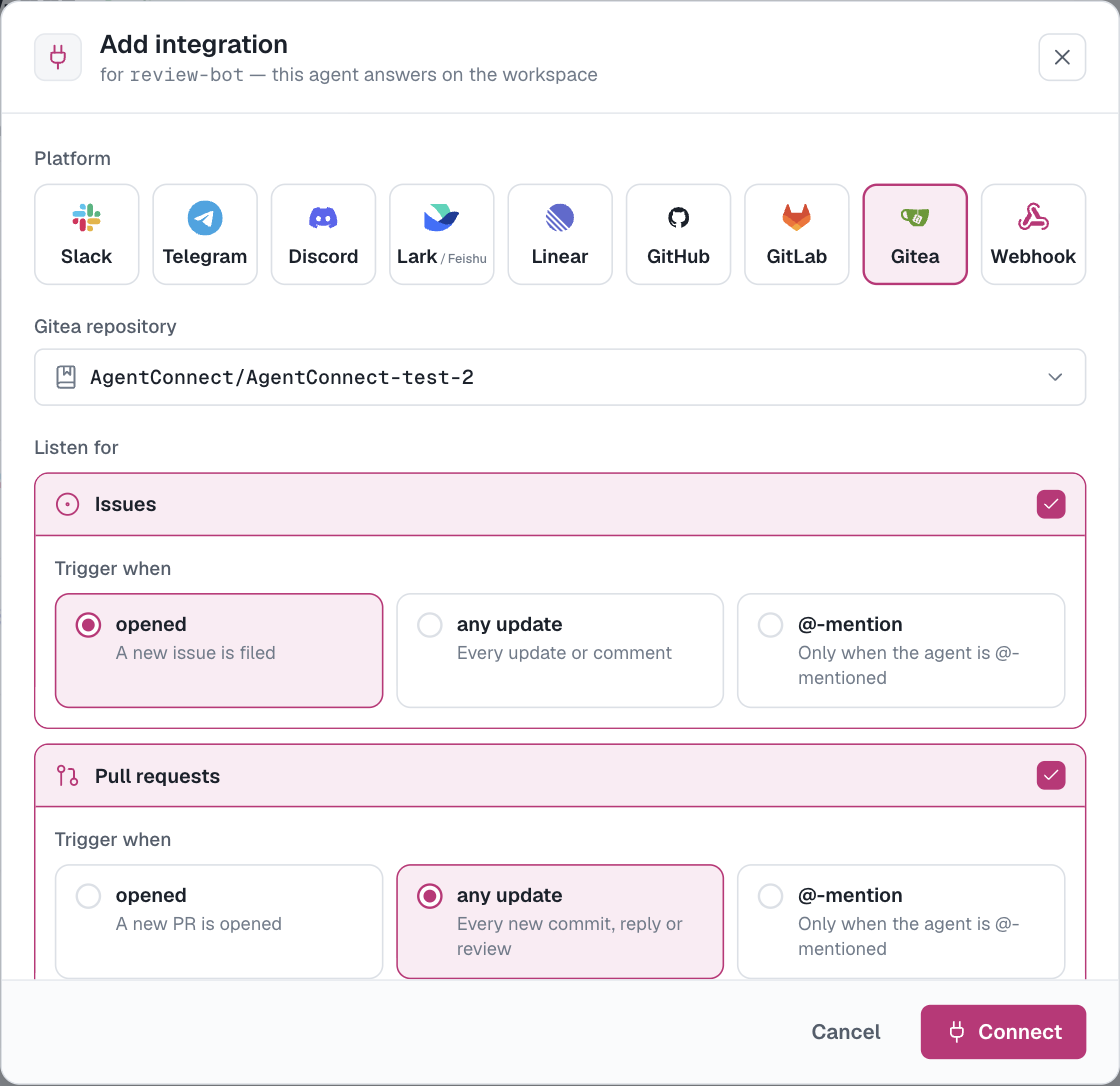
A trigger rides an existing authorization and never creates one: the repository must already be the agent's workspace or one of its authorized additional repositories, or adding the watch is refused. It does not need to be on the Gitea card yet — making it the workspace or an additional repository puts it there.
Choose the repository, what to listen for — issues, pull requests, or both — and how eagerly the agent wakes up:
- opened — when an issue or pull request is opened, plus later explicit mentions in that family.
- any update — openings plus new revisions, replies and submitted reviews. Close, reopen and merge stay inert.
- @-mention — when the agent (
@<agent-name>, or@<organization>/<agent-name>) or the organization's Gitea bot is @-mentioned. Requesting the bot as a reviewer starts a turn whatever the cadence.
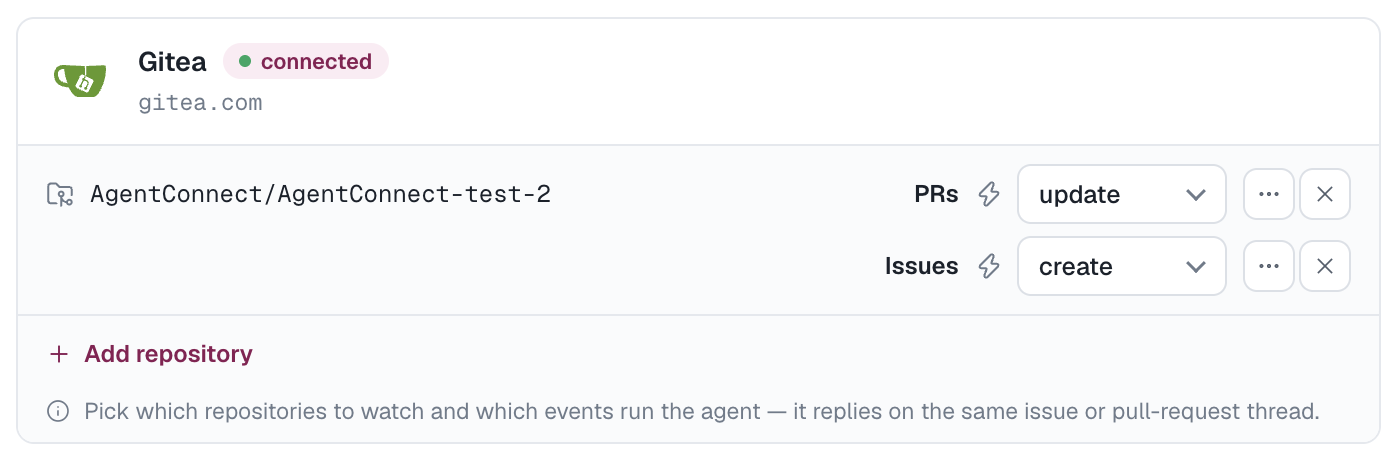
Several agents may watch the same repository. @<agent-name> targets one agent; the bot's own handle broadcasts to every matching agent.
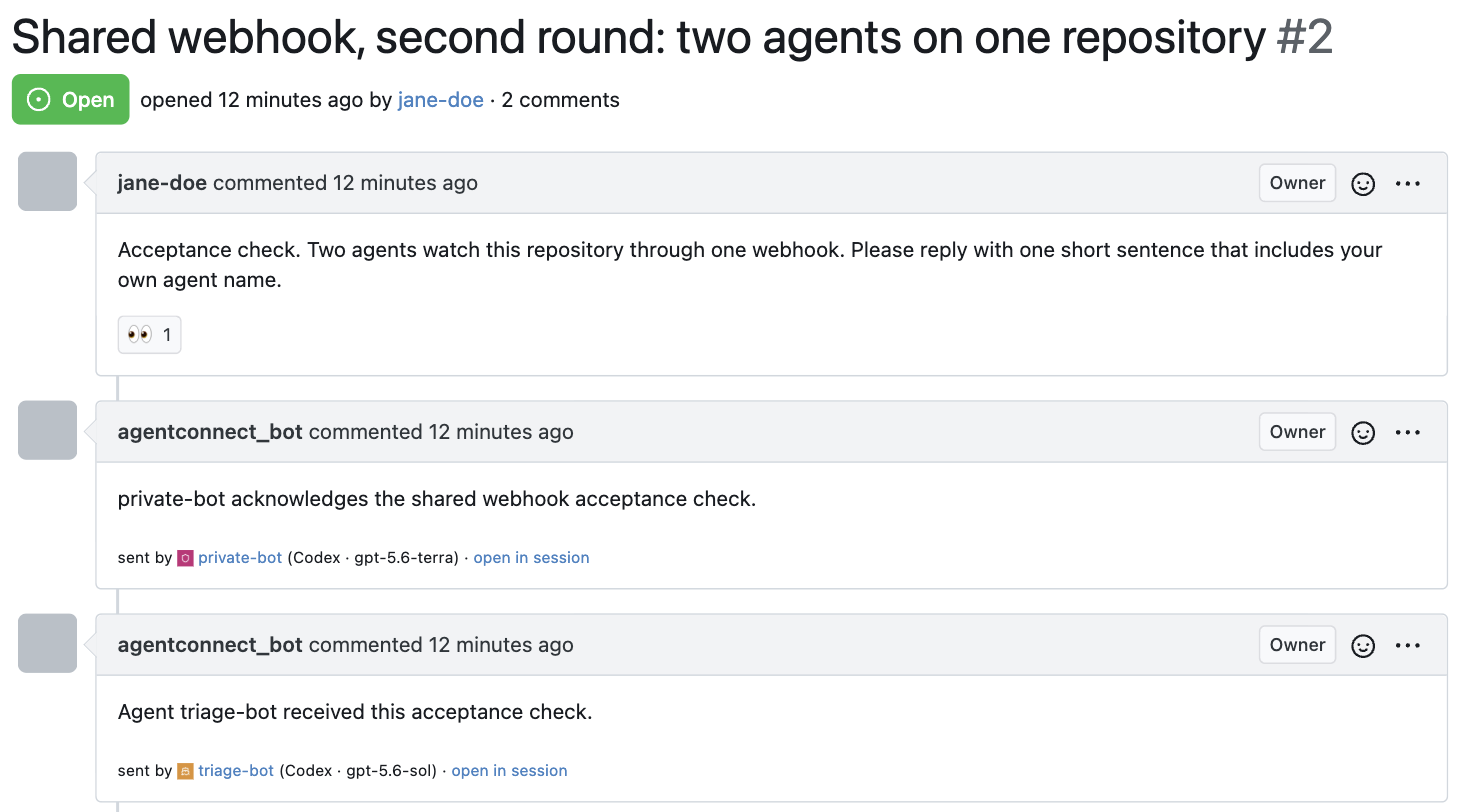
On a repository owned by an organization, @<organization>/<agent-name> targets that same one agent too. Gitea's comment box suggests organization teams as you type @ but has no way to suggest an agent name, so creating a team named exactly after the agent — review-bot, not "Review Bot" — turns the targeted handle into a suggestion. Gitea offers every team to an organization owner and to a site administrator, and to everyone else only the teams they belong to, so add the people who should get the shortcut as members.
Membership changes nothing about triggering: AgentConnect matches the text you typed, never the team's membership, so a hand-typed @<organization>/<agent-name> works either way, and plain @<agent-name> keeps working whether or not the team exists. Teams exist only in organizations, so a repository owned by a personal account has nothing to autocomplete — use @<agent-name> there.
Because Gitea shares one index space between issues and pull requests, a session is keyed on the subject as well as the number, so issue 12 and pull request 12 are never the same conversation.
Reviews in a Gitea comment
Gitea delivers a submitted review as one event carrying the summary and nothing about the inline comments — no path, line or body. AgentConnect reads the review's inline comments from the API before it builds the prompt, so a review reaches the agent whole. A standalone inline comment left outside a review submission produces no event at all on Gitea, so there is no such trigger to configure.
Who may trigger an agent
AgentConnect checks the current repository permission of whoever wrote the content, through the Gitea API, at the moment of the event. Only Write or higher can start an agent. Permission that is lower, missing or simply unavailable fails closed — the agent does not run.
A pull request from a fork does not start an agent on its own. A current Write-or-higher collaborator can request the first turn by mentioning the agent, or by requesting the bot as a reviewer. Trigger permission is separate from what the agent may do afterwards: comments, reviews and pushes still require the repository authorization you gave the agent.
The bot's own activity never triggers an agent, with one deliberate exception: a pull request the bot opened still enters review, which is what lets one agent review another's work.
What the agent does
Each qualifying event starts a session on the agent's daemon with the event as context, and the sessions appear in Sessions linked back to Gitea.
- Ordinary reply — one comment from the bot user, on the issue or the pull request. Gitea's
eyesreaction on the triggering comment acknowledges the turn before the reply exists. - Reviews — expand PR review on a pull-request watch to allow a formal
COMMENTreview with inline comments,REQUEST_CHANGES, andAPPROVE. Gitea takes one comment per line, never a range: a range collapses to its end line, with the start recorded in the comment's first line. - Run state — one commit status on the pull request's head, with the context
agentconnect/<agent-name>, linking back to the session in the console. It does not block merging unless an operator adds that context to a branch protection's required checks.
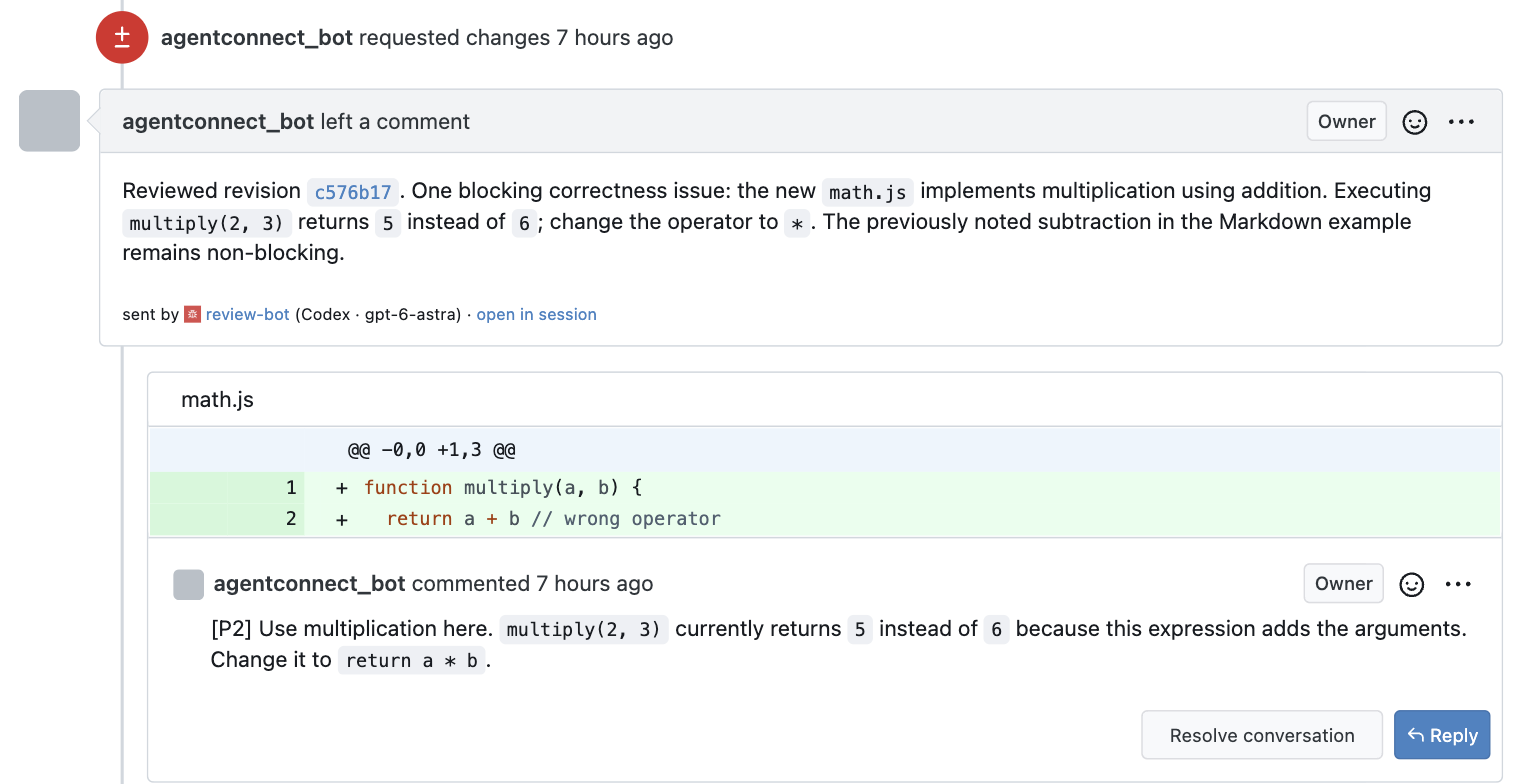
To run an agent again on a pull request: write a follow-up comment in the session, push a new revision, or re-request the bot as a reviewer.
Git access uses short-lived credentials served to the agent's sandbox: no Gitea credential is written to disk. There is no Gitea command-line wrapper — an agent reads and writes through AgentConnect's provider tools.
What Gitea refuses
Gitea does not let the author of a pull request approve it or request changes on it. When the pull request was opened by the bot itself — one agent reviewing another's work — the verdict cannot be recorded, so AgentConnect publishes the same review content as a plain review comment instead and reports the downgrade in the session. Nothing is silently dropped.
A COMMENT review also never supersedes an earlier REQUEST_CHANGES: Gitea clears a reviewer's verdict only when that reviewer submits a new approval or rejection.
Replace the token
Gitea issues no expiring tokens and cannot create or revoke one without the user's password, so there is nothing for AgentConnect to rotate. Replacement is a console action: Replace token on the connection runs the same checks as connecting, requires the same bot user, and switches the stored secret atomically so daemon caches purge the old value.
Revoke the old token in Gitea yourself — AgentConnect cannot. And because the tokens have no expiry there is no horizon to warn about: a rejected token is how the product learns, and every repository on the connection moves to bot access degraded until you replace it.
Disconnect
Disconnect removes every managed webhook from Gitea first, then releases the connection; agents stop answering on its repositories. Revoke the token in Gitea afterwards.
If the token is already rejected, a repository can park in removal incomplete with its webhook still on Gitea. Replace the token and remove again, or delete the webhook by hand in Gitea.
Self-hosted instances
Everything above works the same on your own instance. What differs is operator work, done once per deployment: pointing the deployment at the instance, and satisfying what the instance must provide (Gitea 1.23 or later, one HTTPS address, a trusted certificate, and an outbound webhook allowlist that lets Gitea reach the deployment). All of it lives in Gitea on AgentConnect OSS.
There is no application to register: Gitea's OAuth provider would add no identity of its own, since an operation made with an OAuth token is attributed to the authorizing user exactly as a hand-made token is. The bot user and its token are the whole identity.
The instance address is fixed once Gitea state exists — the stored token, numeric repository IDs and webhook IDs carry no instance provenance, so retargeting would send one instance's credentials to another. Nothing about the instance has to be configured on your daemons: a daemon learns it from the agent it is serving.
Updated 2 days ago