

🚀 Get started
Create your organization, choose where agents run, and bring your team into the tools where work already happens.
AgentConnect opens a guided setup for a new organization. It asks one real question — where your agents should run — and everything else stays in a Getting started checklist that follows you into the console.
Before you start
You need:
- Access to AgentConnect Cloud or an AgentConnect OSS deployment.
- For the daemon path only: a machine for your agents — macOS, Linux, or WSL with Node.js 24.12+ — and at least one runtime installed and authenticated on it, such as Claude Code, Codex, or another ACP-compatible runtime.
1. Sign in
Open AgentConnect Cloud, or the Web URL for your self-hosted deployment.
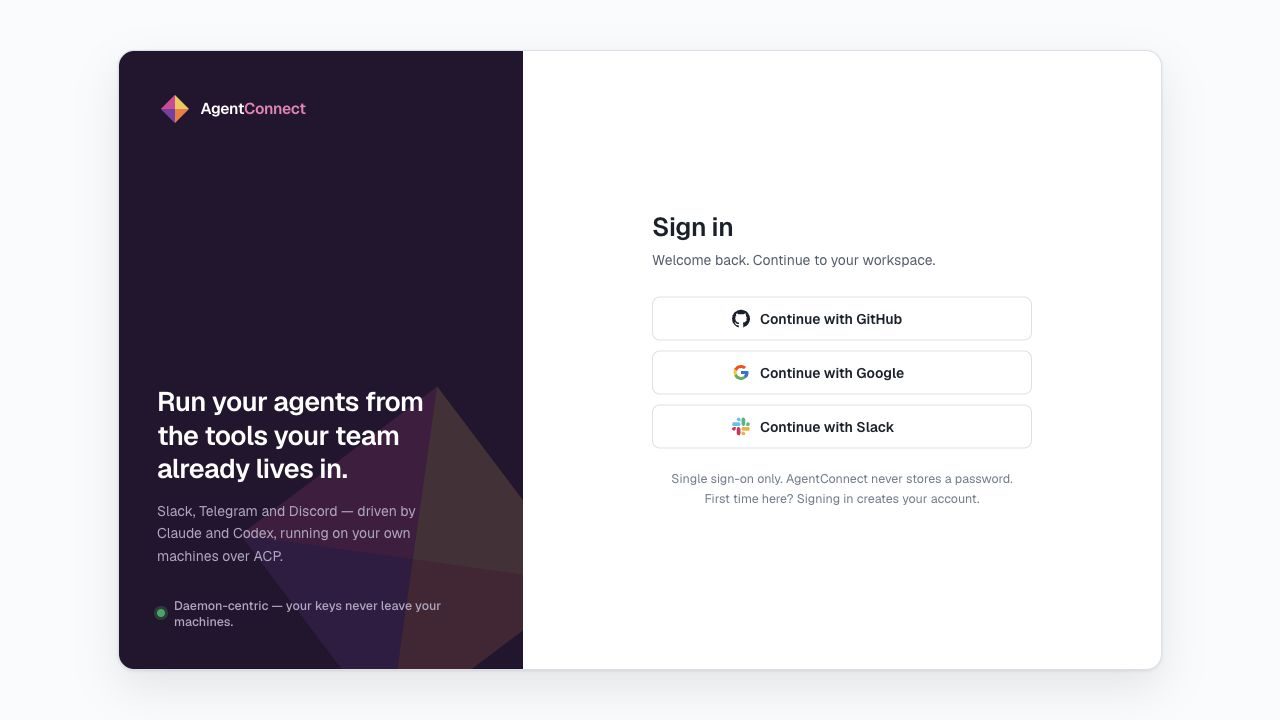
Cloud supports GitHub, Google, and Slack sign-in. A self-hosted deployment can choose its own providers through Logto. The default local OSS stack runs without authentication and opens the console directly.
2. Create your organization
Signing in creates your profile, not an organization. Choose a URL name — lowercase letters, digits, and hyphens — and, if you want one, a display name; it defaults to the URL name. Joining a teammate instead? Open their collaborator invite link and you skip this step.
3. Choose where agents run
Setup now asks Where to run, and your answer decides whether there is anything to install:
- Cloud (Cluster on a self-hosted deployment with a daemon pool) — agents run on infrastructure the deployment already operates. Nothing to install, and setup finishes here. Cloud starts you with free credits.
- Daemon — bring your own machine and your own provider credentials. Choosing this adds the connection step below.
Only owners see this setup, and it runs once per organization: both Finish and Skip mark it complete, and an organization that already has a daemon never sees it again.
4. Connect your daemon
This step belongs to the Daemon path; skip to the checklist if you chose the pool.
A daemon runs agents in the environment you operate. It detects the runtimes installed on that machine, keeps workspaces and credentials there, and connects outward to AgentConnect.
The onboarding page creates a one-time connection command for you. Copy the exact command, run it on the target machine, and leave it running. The page waits for that daemon and continues automatically when it comes online.
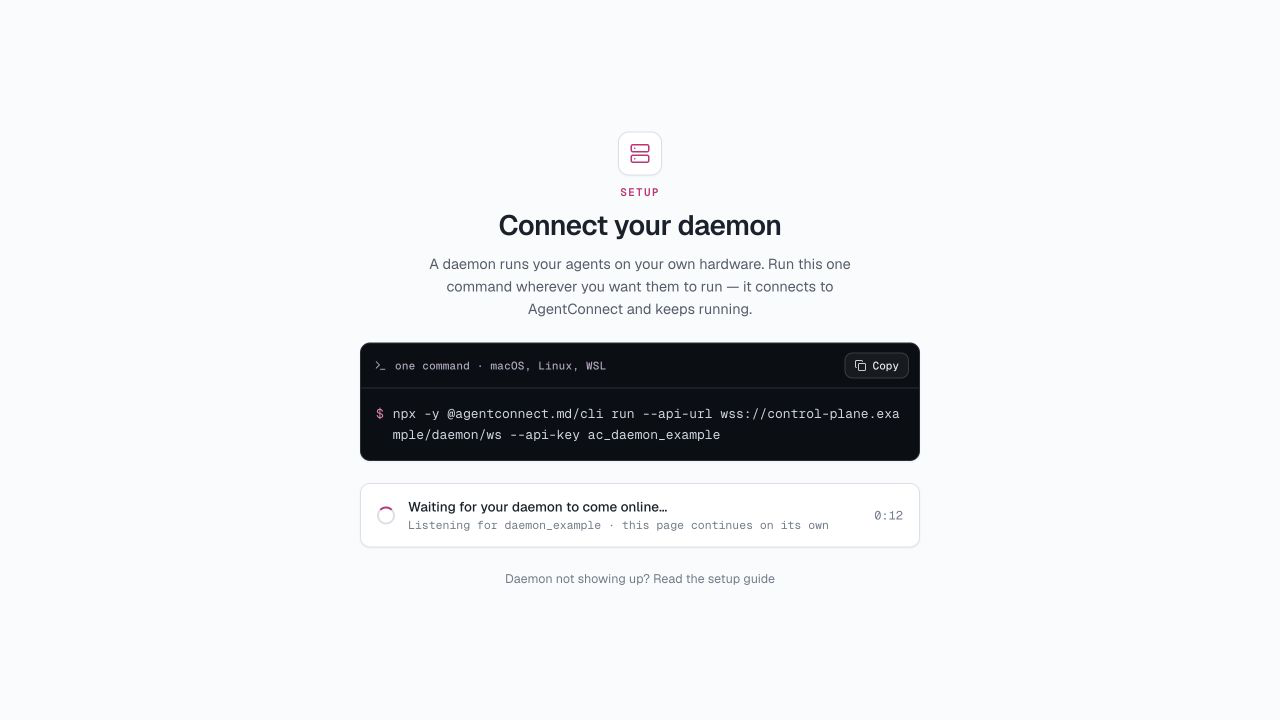
The foreground command is best for a first run. To keep the daemon running after logout or restart, see Install the daemon.
5. Set up the built-in agent
Every new organization includes a built-in AgentConnect agent. Once the daemon is online:
- Choose one of the runtimes detected on that daemon.
- Pick a model when the runtime offers model selection.
- Select Save and continue.
The daemon is already selected. You can skip this step and return to it from the checklist or the agent's settings.
6. Finish the team setup
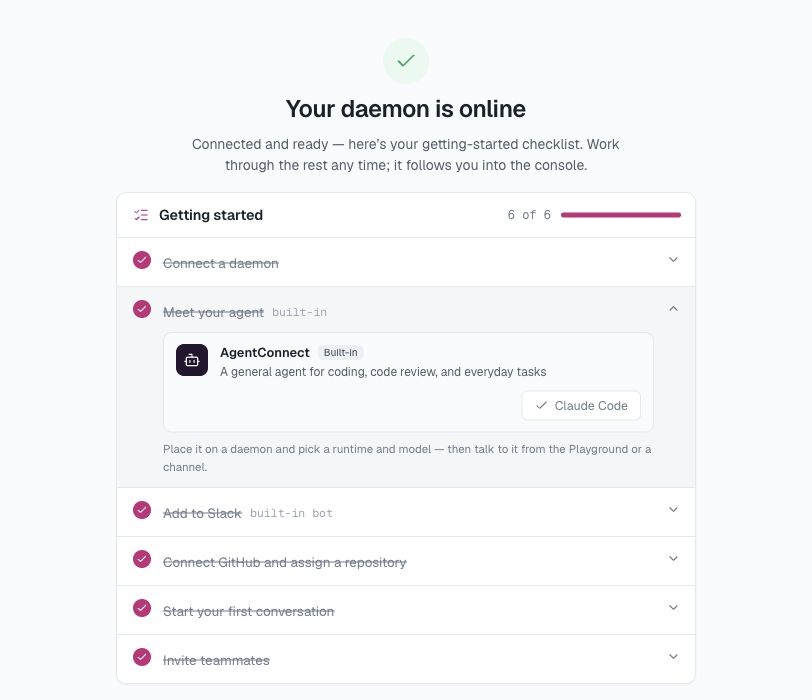
Setup hands you to the Getting started checklist, which lives in the console as a floating pill that opens a drawer and walks one step at a time. It helps you:
- connect a daemon — only when the deployment has no pool to run agents on, so Cloud never shows this step;
- connect the built-in agent to Slack;
- connect GitHub and assign a repository;
- link your GitHub profile when your sign-in method does not already provide it;
- start a conversation;
- invite teammates when authentication is enabled; and
- review the session access policy.
The checklist reflects the current organization state, so work completed elsewhere is checked automatically, and the step you are on is remembered for the whole organization. Skip for now hides the pill on that device only; reopen it from the account menu.
7. Start working
Use Start your first conversation to open Home, or start from Slack, GitHub, or another connected platform. Choose the agent or agents for the job and send a prompt. The resulting work appears under Sessions, subject to its visibility and your permissions.
If you skipped setup
Open Getting started from the console to resume the same checklist. You can also use Daemons → Add daemon and the built-in AgentConnect agent's settings to do the daemon-path steps by hand.
What's next
- Connect platforms — link agents to Slack, Telegram, Discord, Lark / Feishu, GitHub, GitLab, Linear, and other triggers.
- Create agents — add specialists with different roles, runtimes, models, and workspaces.
- Permissions — control agent, session, repository, and agent-to-agent access.
- How it works — understand the daemon, optional Relay, and Control Plane.
- AgentConnect OSS — run the open-source stack with Docker Compose or Kubernetes.
Updated 16 days ago