

⏰ Schedules
Run an agent on a timer — daily reports, nightly audits, periodic sweeps — with output posted to a channel or kept headless.
Schedules run an agent on a cron cadence: a daily deploy report, a nightly dependency audit, a Monday-morning triage sweep. Each firing starts a fresh session for the agent, so every run is fully replayable in Sessions.
Create one
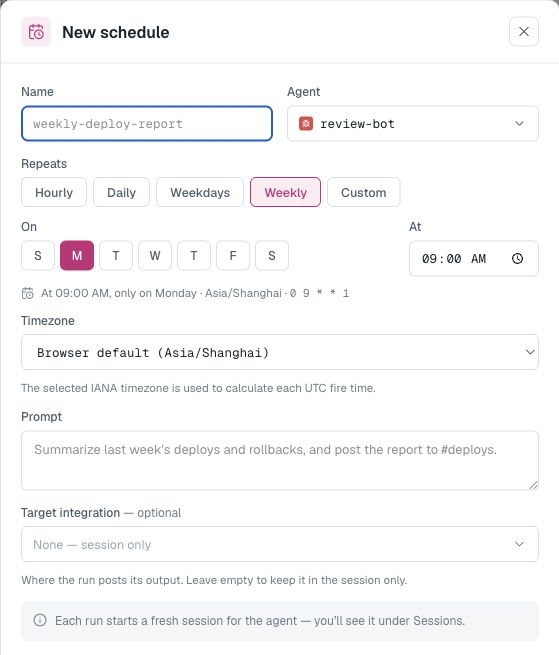
Schedules → New schedule:
- Name — e.g.
weekly-deploy-report. - Agent — who runs it.
- Repeats — a friendly builder: Hourly / Daily / Weekdays / Weekly (day picker + time) or Custom with a raw five-field cron expression (
0 9 * * 1). - Timezone — the IANA timezone used to evaluate the schedule, such as
America/New_YorkorAsia/Shanghai. New schedules default to your browser's timezone, and the saved timezone continues to apply if the agent later moves to a daemon in another region. - Prompt — the task, written like you'd brief a person: "Summarize last week's deploys and rollbacks, and post the report to #deploys."
- Target integration — optional. Pick one of the agent's integration channels and the run posts its output there, threading replies under it. Leave it on None — session only for a headless run you read in Sessions.
- Visibility — who in the org sees the schedule (details).
Run and review schedules
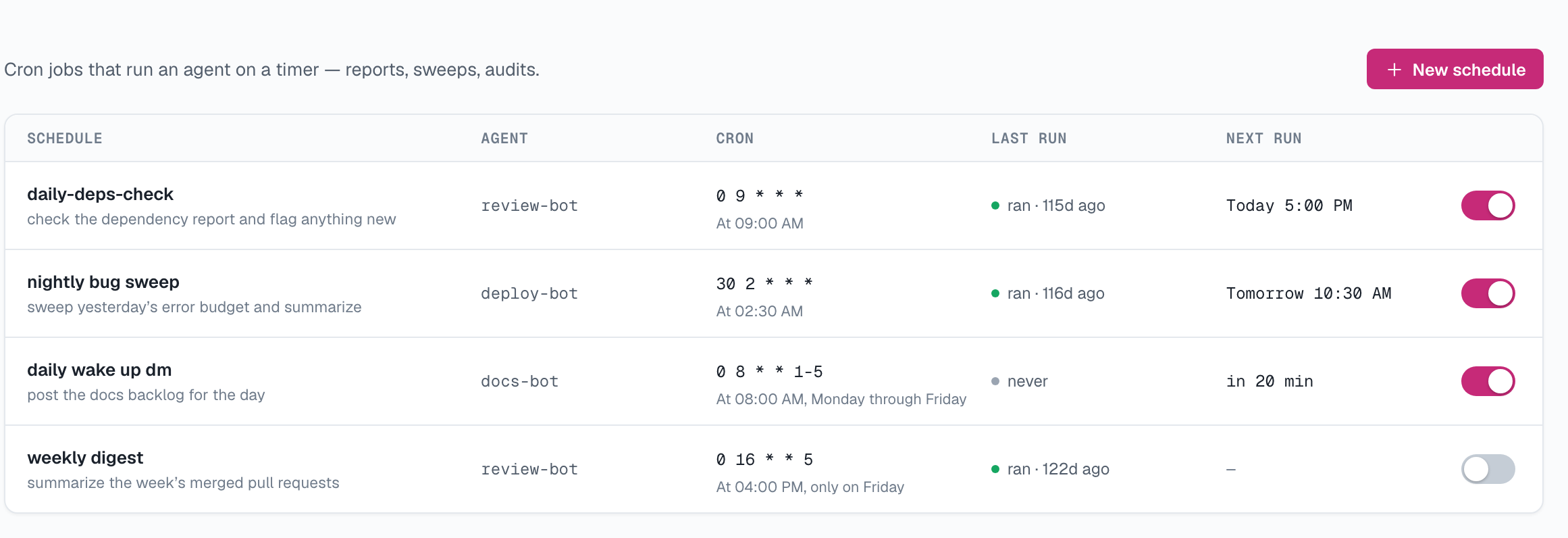
Use Run now to test a schedule without waiting for its next firing. Each run is recorded with its outcome and a link to the corresponding session. You can also pause a schedule without deleting its configuration.
Notes
- Schedules fire on the agent's daemon; if the daemon is offline at the scheduled moment, that firing is skipped (the runs list is your audit trail).
- Because each run is a fresh session, the prompt must be self-contained — use the agent's memory for standing context.
Updated 22 days ago
Did this page help you?