

🧩 MCP connector
Add AgentConnect to Claude or any MCP client — inspect and manage agents, sessions, schedules and integrations in plain language.
AgentConnect ships a hosted MCP server at:
https://mcp.agentconnect.mdAdd it to Claude (or any client that speaks MCP over streamable HTTP) and your assistant can work with your organization for you:
"Which of our agents are online right now?"
"What did we spend on tokens this week, per agent?"
"Did the nightly report schedule run — and did it succeed?"
"Create a weekday schedule for the reviewer agent."
Connect from Claude
Claude (claude.ai / desktop): Settings → Connectors → Add custom connector, paste https://mcp.agentconnect.md, and finish in the browser: sign in with an enabled provider, pick the organization to bind, review the read and write access requested by the client, and Authorize. No keys to copy — the flow is standard OAuth 2.1 with dynamic client registration.
Claude Code:
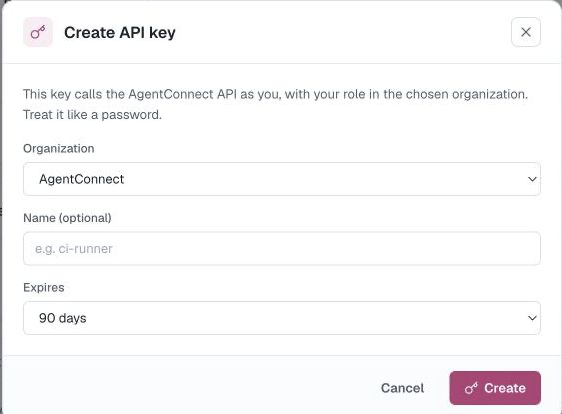
claude mcp add --transport http agentconnect https://mcp.agentconnect.mdthen approve the browser sign-in when prompted (/mcp → authenticate). For headless environments (CI, servers) skip OAuth and attach an API key instead:
claude mcp add --transport http agentconnect https://mcp.agentconnect.md \
  --header "Authorization: Bearer $AGENTCONNECT_API_KEY"
Any other MCP client works the same way: OAuth if it supports the authorization-code flow, otherwise a personal API key in the Authorization: Bearer header.
Read tools
With mcp:read, an assistant can inspect:
| Area | Tools |
|---|---|
| Identity | whoami |
| Agents | listAgents, getAgent |
| Daemons | listDaemons |
| Schedules | listCrons, getCron, listCronRuns |
| Sessions | listSessions, getSession |
| Analytics | getUsage |
| Integrations | listIntegrations, listBots, listAgentHooks, listHookRuns |
| Members | listMembers |
whoami returns the current identity, organization, and role. Session tools return status, usage, and links—not transcript contents. listBots returns metadata, never token material; getUsage includes totals and per-agent breakdowns. Transcripts stay on your daemons.
Write tools
When the client requests and you approve mcp:write, it can also make these changes:
| Area | Tools |
|---|---|
| Agents | createAgent, updateAgent, deleteAgent |
| Daemons | renameDaemon |
| Schedules | upsertCron, runCron, deleteCron |
| Integrations | setChannelTrigger, removeIntegration |
The write catalog is deliberately narrower than the console and REST API. It does not expose credentials, members, organization settings, access-control lists, or bot secrets.
deleteAgent, deleteCron, and removeIntegration are destructive. Each requires an exact live confirmation value — the agent or integration name, or the schedule name/ID — in addition to the client's own approval flow. A mismatched or missing confirmation is rejected.
Permissions & trust
- A connection acts as you, in one organization — the one you picked at consent (or the org your API key is bound to). Connect again to use another org.
- OAuth access is scope-confined:
mcp:readexposes only read tools, whilemcp:writeis required for write tools. A personal API key is not scope-limited and therefore carries the access allowed by your account. - Your role and per-resource visibility apply unchanged: the tools call the same REST surface as the console, so a Viewer's connector can't see or change more than that Viewer can in the console, and restricted resources stay hidden.
- Revoke the OAuth connection or personal API key when a client should no longer act as you.
Updated about 2 months ago